
Talk · Use · Everyday home & office use
How do users read port labels such as PD and QC on a charger?
PD means USB Power Delivery, the standard used by USB-C phones, tablets and laptops. QC refers to Qualcomm Quick Charge, mainly on older Android phones. Wattage labels show maximum output. Use the PD port for most modern devices.
 Wecent Editorial Team
Updated
3 min read
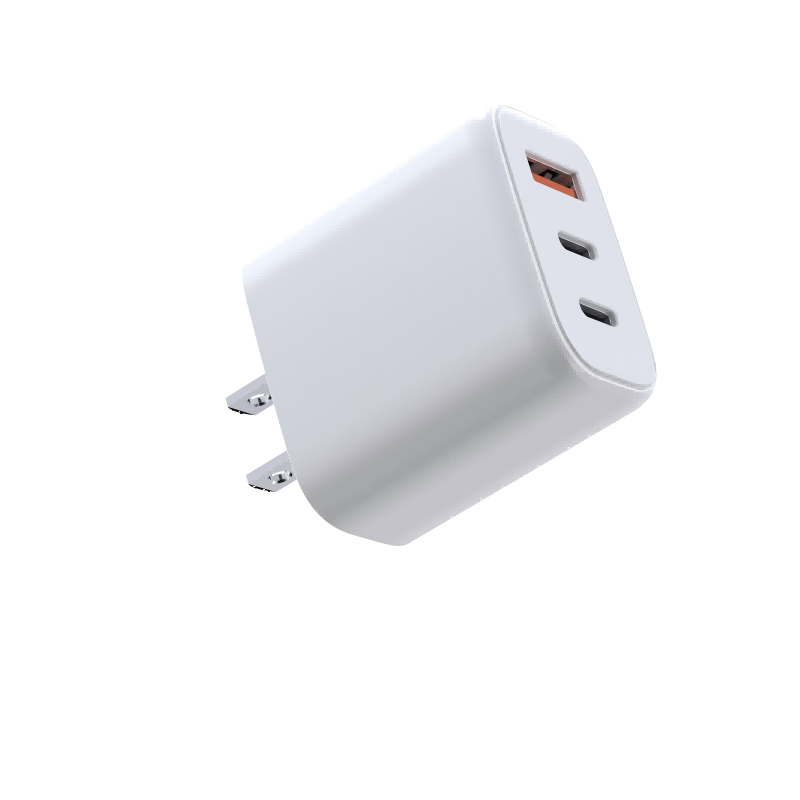
Our chargers have small labels like ‘PD 65W’ and ‘QC 18W’ next to the ports. Customers ask what they mean. How should we explain them?
Short answer: ‘PD’ stands for USB Power Delivery, the charging standard used by iPhones, iPads, laptops and most modern Android phones over USB-C. ‘QC’ refers to Qualcomm Quick Charge, a fast-charging method used mainly by older Android phones, usually on USB-A ports. ‘PPS’ is part of USB PD used for Samsung Super Fast Charging. The number is the maximum the port can supply, which may drop when several ports are used. For most modern devices, use the USB-C PD port.
Common labels
- PD: USB Power Delivery. Used over USB-C by iPhones (fast charging), iPads, laptops and most current Android phones.
- PPS: Programmable Power Supply, part of USB PD. Samsung uses it for Super Fast Charging.
- QC: Qualcomm Quick Charge, mainly on older Android phones with Qualcomm chips, often on USB-A ports.
- Watts (e.g. 65W): the port’s maximum output.
- Arrows or numbers (C1, C2, A): port names used in allocation tables.
Maximum, not always
The wattage shown is a maximum. The device draws what it supports. When several ports are used, each may get less. The manual’s allocation table explains the combinations.
Which port for which device
- Laptops: the highest-wattage USB-C port.
- Phones and tablets: any USB-C PD port.
- Older Android phones with USB-A cables: the QC port.
- Earbuds and watches: any port, often USB-A.
Why so many labels?
Chargers serve devices from different years and makers. Labels help users choose the right port. Over time, USB-C PD is replacing other methods.
Explaining it simply
“Use the top USB-C port for your laptop, any USB-C port for phones and tablets, and the USB-A port for older cables and accessories.”
Listing tip
Include an image explaining the port labels and a simple “which port” guide. It reduces confusion and support tickets.
Confirm details
Confirm with Wecent each port’s protocols and output for each model, and keep the labels consistent with the manual and listing.
Other labels you may see
Some chargers show symbols for GaN technology, safety marks or efficiency marks near the ports. These describe the charger, not a port function. A lightning-bolt symbol often marks fast-charging ports, but its meaning varies by brand; check the manual.
Cables still matter
Even the right port won’t deliver full power with a weak cable. Above 60W, use a 5A USB-C cable.
Where this answer says confirm with Wecent, the detail is not published on the product page and has to come from the datasheet or the factory. General facts come from the standards bodies, regulators or device makers named in the text.
Three more perspectives
Products discussed in this thread
Related articles & topics
Have a sourcing question about your own programme?
Ask our team More Everyday home & office use questions