
Talk · Use · Everyday home & office use
How do I use a wireless charger so my phone actually charges?
Plug the charger in, centre the phone, keep the gap clear and use a good adapter. Most wireless charging problems come from one of those four things.
 Wecent Editorial Team
Updated
3 min read
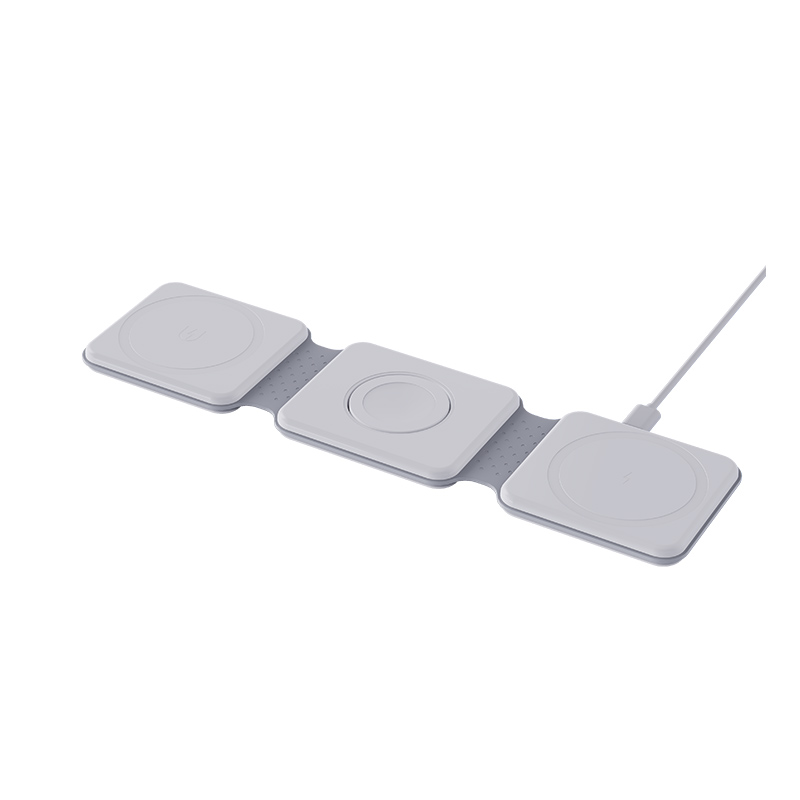
Many first-time buyers think a wireless charger should work the moment the phone touches it. Our support team gets questions like ‘where do I put my phone?’ and ‘why does it say it is charging but the battery barely moves?’ We want a short guide that customers can follow.
Short answer: Plug the charger into a proper power adapter first, then place the phone face-up and centred on the pad, or let the magnets snap it into place. Remove thick, metal or wallet cases and anything between the phone and the pad. Check that the phone shows it is charging.
Step by step
- Power the charger. Connect the cable to a suitable wall adapter, not a weak USB port. Apple notes that its MagSafe Charger should be plugged into a power source before the phone is placed on it, so the system can verify it is safe to deliver full power.
- Place the phone. Put it face-up. On a flat pad, centre the phone on the charging area. On a magnetic charger, let the magnets pull it into place.
- Check for a response. Most phones show a charging icon or make a sound. If nothing happens, lift the phone and place it again.
- Leave it still. Apple warns that if the iPhone vibrates and shifts position, the pad may stop powering it. Turn off vibration or use a case that keeps it in place if this happens often.
What to keep out of the way
- Thick, metal or battery cases, which Apple says can slow or stop charging.
- Magnetic mounts, cards, badges and key fobs between the phone and the pad. Apple warns that these can reduce performance or damage magnetic strips and RFID chips.
- Coins and keys on the pad. Good chargers detect metal and stop to avoid heat.
What is normal
- The phone feels slightly warm. Apple says software may limit charging above 80 percent if the battery gets too warm, and recommends moving the phone and charger to a cooler place.
- Faint noises from some pads while charging.
- Slower charging than a cable.
A common surprise
Apple also says an iPhone will not charge wirelessly while it is connected to USB. It will charge through the cable instead. If you want to test a pad, unplug the phone.
If it still does not work
Try another adapter, remove the case, and try a cable to confirm the phone itself is fine. If the pad still fails with a known-good adapter and a bare phone, it may need to be replaced.
Sources checked on 24 Oct 2026: Apple Support: How to wirelessly charge your iPhone; Apple Support: How to use your MagSafe Charger with iPhone.
Where this answer says to confirm with Wecent, the detail is not published on the product page and has to come from the datasheet or the factory. General facts come from the regulators, standards bodies or device makers named in the text.
Three more perspectives
Products discussed in this thread
Related articles & topics
Have a sourcing question about your own programme?
Ask our team More Everyday home & office use questions