
Talk · Use · Everyday home & office use
Can a wireless charger charge a phone through a pop-socket or ring holder?
Usually not reliably. Grips and rings lift the phone off the coil, and metal parts can trigger foreign-object protection or heat up. Remove the accessory, use a detachable magnetic version, or charge by cable.
 Wecent Editorial Team
Updated
2 min read
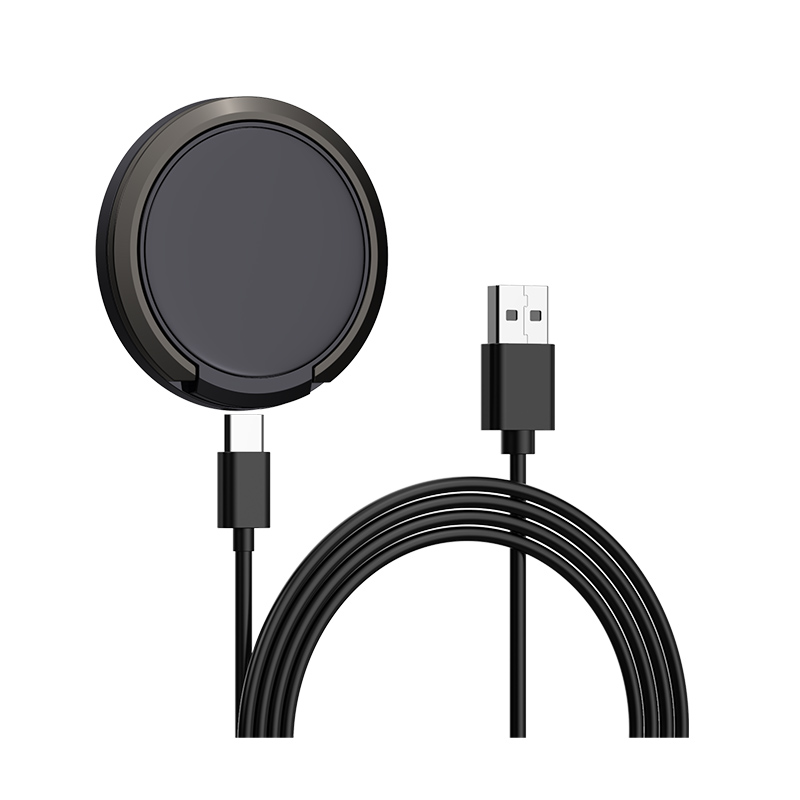
Customers ask why their phone won’t charge on our wireless pad when it has a pop-socket grip or a metal ring holder. Can they charge through it?
Short answer: Generally not. Wireless charging needs the phone’s coil close to the charger’s coil. Grips and rings add distance and often sit right over the coil. Metal rings and plates can also absorb energy, heat up, or trigger the charger’s foreign object detection, which stops charging. Use a removable or magnetic grip, take it off before charging, or charge with a cable.
Distance
Qi chargers are designed for a short distance between coils, typically a few millimetres including a thin case. A collapsed grip can add several millimetres, enough to stop charging or make it slow and hot.
Metal
Metal ring holders and the metal plates used with car mounts sit between the coils. Metal in the field absorbs energy and heats up. Chargers use foreign object detection to reduce or stop power when metal is detected. Users see charging stop or a flashing light.
Position
Grips are often placed in the centre of the phone’s back, exactly where the coil is. Even if a grip is plastic, its position blocks alignment.
Options for users
- Remove the grip before charging; many grips are detachable.
- Use magnetic grips that attach to MagSafe-compatible or Qi2 magnetic phones and remove easily.
- Place the grip lower on the case, away from the coil, if charging still works.
- Charge with a cable.
Safety
Don’t try to force charging through metal. If a charger or accessory gets hot, remove the phone and accessory and let them cool.
What to tell customers
“Wireless charging doesn’t work through grips or metal rings. Remove the accessory or use a magnetic, detachable version.”
Listing information
Add a line to listings: “Remove grips, rings, metal plates and card wallets before charging.” It prevents many returns.
Magnetic chargers
Magnetic chargers need the phone’s magnet ring to align. A grip on the back blocks both alignment and charging. Detachable magnetic grips solve this for compatible phones.
Cases with built-in stands
Cases with built-in kickstands, wallets or metal reinforcements have the same issue as grips. Thin cases without metal usually work fine. If wireless charging matters, recommend cases designed for it.
Testing
If customers ask about a specific accessory, test it. Some thin plastic accessories placed away from the coil may allow charging; metal ones generally won’t.
Where this answer says confirm with Wecent, the detail is not published on the product page and has to come from the datasheet or the factory. General facts come from the standards bodies, regulators or device makers named in the text.
Three more perspectives
Products discussed in this thread
Related articles & topics
Have a sourcing question about your own programme?
Ask our team More Everyday home & office use questions