
Talk · Selection · Wireless, magnetic & multi-device
What is MagSafe, and which wireless chargers work with it?
MagSafe is Apple's magnet-aligned wireless charging system for iPhone. Qi2 is the open standard built on the same idea, so the two overlap but are not the same thing.
 Wecent Editorial Team
Updated
3 min read
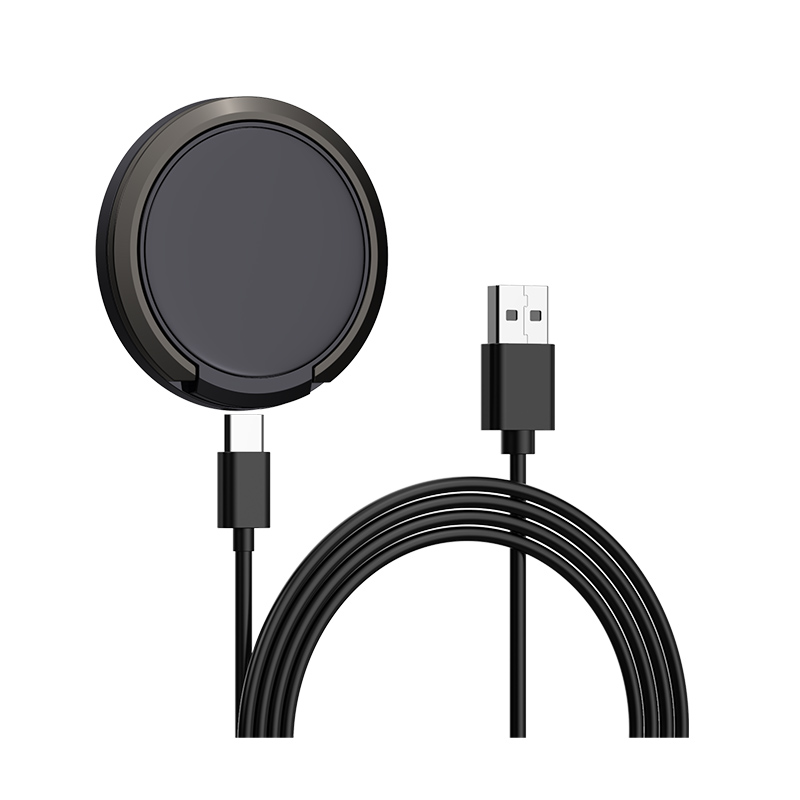
Customers search for MagSafe constantly, but they use the word for any magnetic charger. A buyer asks us: what exactly is MagSafe, do other brands’ chargers work with it, and what should we say on a product page without overclaiming?
Short answer: MagSafe is Apple’s name for the magnets and charging system built into recent iPhones and Apple’s own accessories. Qi2 is the Wireless Power Consortium’s open standard that uses a similar magnetic alignment, so third-party Qi2 chargers can work with these iPhones. Always check the wording: ‘MagSafe’ is Apple’s brand, while ‘Qi2’ describes a certified standard.
What MagSafe actually is
MagSafe combines a ring of magnets in the back of the iPhone with a matching charger. The magnets hold the phone in the best position for the coils, which improves consistency. Apple’s support page lists MagSafe Charger support for iPhone 12 and later models, and says power and charge times differ when the same charger is used on non-MagSafe, Qi-compatible phones.
How speed depends on the phone and adapter
Apple states that the MagSafe Charger can deliver up to 25W of peak power on certain newer iPhone models when it is used with a power adapter rated at 30W or more. For iPhone 15 and earlier, it lists up to 15W with a 20W or greater USB-C adapter. Apple also notes that actual power depends on the iPhone model, the adapter wattage and system conditions. The practical point for a charger brand: the pad is only half of the system, and the adapter in the bundle matters.
Qi, Qi2 and MagSafe compared
- Qi is the long-standing open wireless charging standard. Apple says many Qi-certified chargers charge iPhone at up to 7.5W.
- Qi2 is the Wireless Power Consortium’s newer standard with a magnetic profile, designed so certified chargers align and charge faster across compatible phones.
- MagSafe is Apple’s own implementation and trademark.
What to check before choosing a magnetic charger
- Is it certified Qi2, or only described as “MagSafe compatible”? These are different claims, and each needs its own evidence.
- Which adapter wattage does it need to reach its stated speed?
- Does it work through the thin case your customers actually use?
- Does the maker publish a test report or certificate number you can verify?
Android phones
Android phones do not have MagSafe. Some support Qi2 or are sold as “Qi2 ready” and need a magnetic case to hold alignment, so check each model before promising compatibility.
Sources checked on 24 Oct 2026: Apple Support: How to use your MagSafe Charger with iPhone; Apple Support: Fast charge your iPhone; Wireless Power Consortium.
Where this answer says to confirm with Wecent, the detail is not published on the product page and has to come from the datasheet or the factory. General facts come from the regulators, standards bodies or device makers named in the text.
Three more perspectives
Products discussed in this thread
Related articles & topics
Have a sourcing question about your own programme?
Ask our team More Wireless, magnetic & multi-device questions