
Talk · Use · Everyday home & office use
Can a smart-screen charger’s display be turned off?
It depends on the model. Some displays dim or turn off after a few seconds, some have a button or setting, and some stay on while charging. Check the manual; if the display can't be turned off, placement helps.
 Wecent Editorial Team
Updated
3 min read
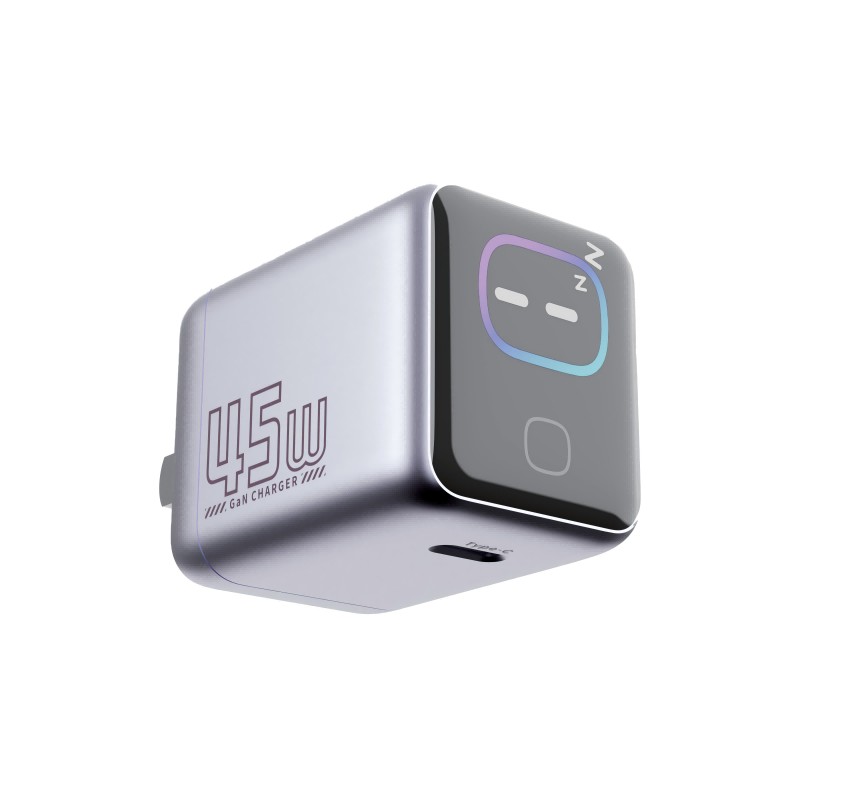
Customers using our smart-screen chargers in bedrooms ask whether they can switch the display off at night. Can they?
Short answer: It depends on the model. Some smart-screen chargers turn the display off automatically after a period, some offer a button or long-press to toggle it, and others keep the display on while charging. Check the manual for the model. If the display can’t be turned off, place the charger so the screen faces away from the bed, or use a different charger for the bedroom.
Typical behaviours
- Auto-off: display shows power readings, then turns off after a short time; reactivates on connection or touch.
- Manual toggle: a button or long-press turns the display on and off.
- Always on while charging: display stays on with devices connected.
- Brightness levels: some models dim in low light or offer brightness steps.
Check the manual
The manual describes the display behaviour and any controls. Confirm with Wecent the exact behaviour for each smart-screen model before writing customer guidance.
Bedroom tips
- Place the charger with the screen facing away from the bed.
- Plug it into a socket behind furniture if cables allow.
- Use the phone’s charging cable from a lower socket.
Meeting rooms and offices
The display can help users see that ports are working. In meeting rooms, an always-on display is usually fine.
Does the display use much power?
The display uses a small amount of power. It doesn’t noticeably affect charging speed. No-load power may be slightly higher than a charger without a display.
Display readings
The readings show approximate output per port. They change as devices adjust charging. They’re useful for checking that a laptop is receiving high power.
Hotel and guest rooms
In hotels, guests can’t easily change charger settings, so a display that stays on all night can generate complaints. For guest rooms, models with auto-off displays or no display are usually the better choice.
If the display misbehaves
Flickering, garbled readings or a dark display while charging should be reported with the model and batch code. See our smart-screen display troubleshooting topic.
Listing guidance
State the display behaviour clearly, for example “display turns off automatically” or “display stays on while charging”. It avoids disappointment for bedroom users.
Choosing for bedrooms
If light at night is a priority, recommend a model with auto-off or a standard charger without a display. Matching product to room reduces returns and negative reviews.
Where this answer says confirm with Wecent, the detail is not published on the product page and has to come from the datasheet or the factory. General facts come from the standards bodies, regulators or device makers named in the text.
Three more perspectives
Products discussed in this thread
Related articles & topics
Have a sourcing question about your own programme?
Ask our team More Everyday home & office use questions