
Talk · Selection · Travel plugs, form factor & materials
How big is a 100W multi-plug travel charger compared with a standard laptop brick?
A GaN travel charger at 100W is usually noticeably smaller than a traditional laptop brick, but the saving depends on the plug mechanism, the number of ports and the cooling design.
 Wecent Editorial Team
Updated
3 min read
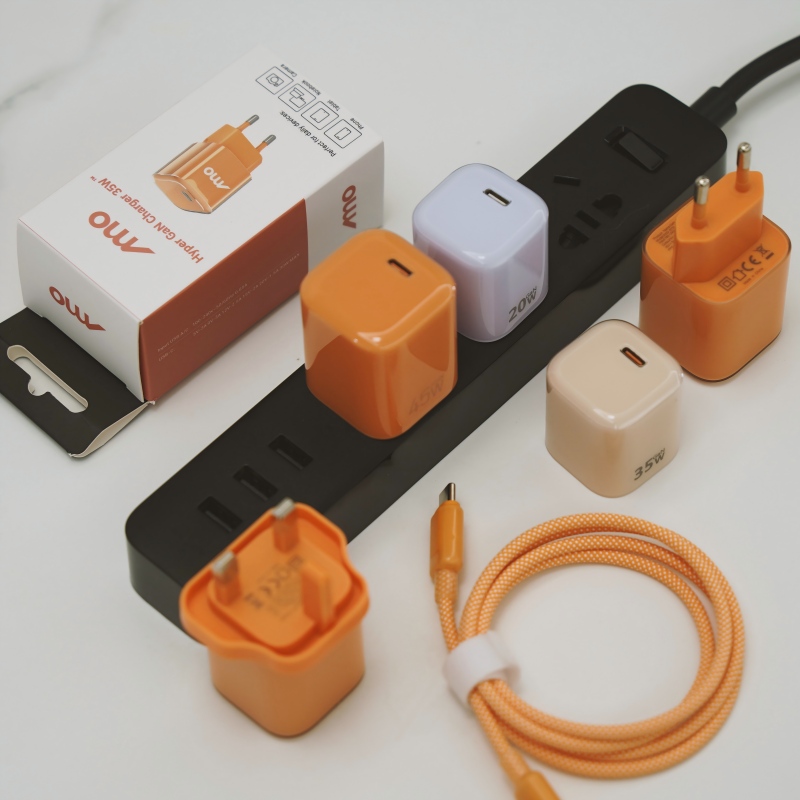
A buyer wants to replace a 100W laptop brick in a travel kit with a multi-plug GaN travel charger. How much smaller is it really, and how should we compare sizes fairly?
Short answer: A GaN travel charger at 100W is usually noticeably smaller than a traditional laptop brick, but the saving depends on the plug mechanism, the number of ports and the cooling design. Multi-plug mechanisms add bulk, so a travel model is often thicker than a single-plug wall charger of the same wattage. Compare measured size, weight and thickness against the exact brick being replaced.
Why GaN makes a difference
GaN transistors switch faster and waste less heat, so the power circuit and cooling can be smaller. That is why many 100W GaN chargers are much more compact than silicon-based laptop bricks. The gain is real, but it is not the same for every design.
What sets the final size
- Plug mechanism. A multi-plug or sliding system needs space for several sets of blades and the mechanism that moves them.
- Ports. More ports mean more connectors, circuits and wires. A single-port design is usually smaller.
- Cooling. A charger designed for continuous full power needs more thermal mass than one that mostly runs below full load.
- Casing material. Metal helps heat flow but is heavier, and plastic is lighter but may need larger vents or space.
- Display or extra features. A screen or button adds size.
How to compare fairly
- Measure length, width and thickness of both items, with the plug blades folded.
- Weigh both, including the cable if it is part of the brick.
- Compare the shape, because a thin flat charger packs differently from a cube.
- Compare rated output, not only the label. Check the power the charger delivers at the voltage your laptop needs.
- Check temperature rise at full load, because a small charger that runs hot may throttle.
What travellers care about
Weight in the bag, thickness in a pocket and whether the plug fits tight sockets matter more than a small difference in length. A thicker charger can block a neighbouring socket in a hotel or airport.
Multi-plug trade-offs
A built-in multi-plug mechanism saves carrying separate adapters, but each moving part adds a possible failure point. Test the mechanism for durability and look for a clear indicator of which plug is selected.
Ask for the numbers
Request a drawing and a weight from the supplier, then compare to your target. Do not rely on a catalogue photo alone.
Where this answer says to confirm with Wecent, the detail is not published on the product page and has to come from the datasheet or the factory. General facts come from the regulators, standards bodies or device makers named in the text.
Three more perspectives
Products discussed in this thread
Related articles & topics
Have a sourcing question about your own programme?
Ask our team More Travel plugs, form factor & materials questions