
Talk · Troubleshooting · Wireless & magnetic faults
Why do AirPods not charge on a wireless pad or 3-in-1?
Check whether the case supports wireless charging, where the coil sits, and whether the light shows. Apple's light behaviour can make a working charger look idle.
 Wecent Editorial Team
Updated
3 min read
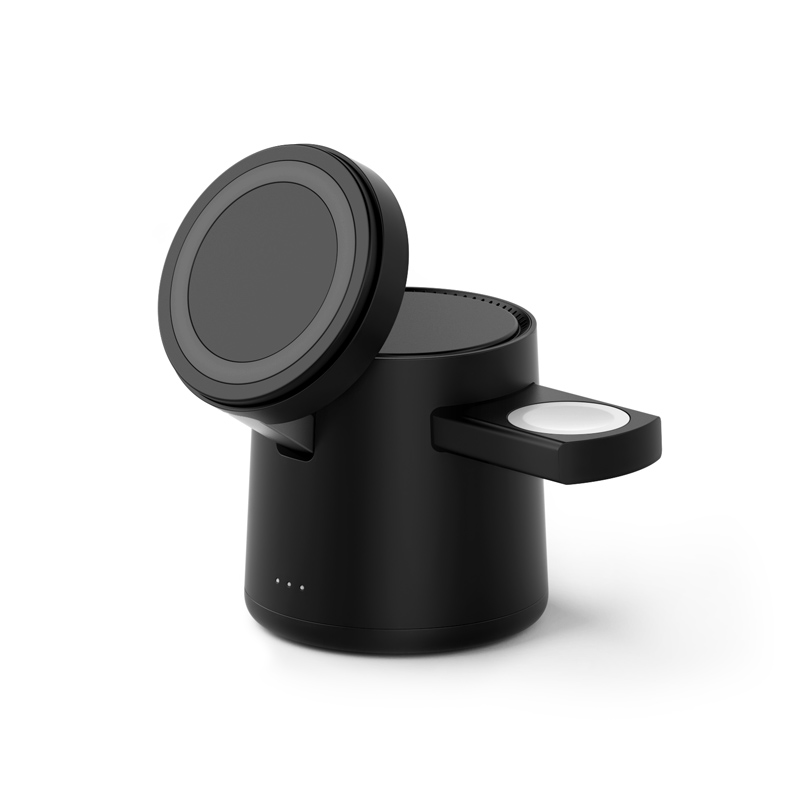
Customers say their AirPods don’t charge on the earbud position of our 3-in-1 foldable charger. Phones charge fine. What should support check?
Short answer: First, check that the AirPods case supports wireless charging; not all do. Then check placement: the case must sit centred on the coil, status light facing up as Apple describes. Note that Apple’s status light turns on for a few seconds and then turns off while charging continues, which users can mistake for no charging. Then check the adapter and the charger’s input requirement.
Case support
Only AirPods cases with wireless charging work on Qi or MagSafe pads. Apple lists the compatible AirPods models in its support pages. Ask the customer which AirPods and case they have.
Placement
Apple’s guidance is to place the case with the status light facing up, centred on the charger. On 3-in-1 chargers the earbud coil can be small, and a case slightly off-centre may not charge. Some foldable designs place the coil under a marked area; point to it in the manual.
The status light
Apple describes the light turning on for several seconds when the case is aligned, then turning off while charging continues. Users who expect a constant light may think it isn’t charging. Checking the battery level on the iPhone after some time is the reliable test.
Power and other devices
- The charger must have an adapter that meets its input requirement, or all positions slow down.
- On some 3-in-1 designs, the earbud position may only work when the input power is sufficient for all positions.
Interference
Metal objects or a metal-backed case cover can trigger foreign object detection and stop charging. Remove any accessories from the AirPods case.
Charging case firmware
AirPods firmware updates can change charging behaviour, including optimised charging that holds the case at a lower level. If complaints start after an update, check Apple’s notes before treating the charger as faulty.
When it’s a fault
If a wireless-capable case doesn’t charge on the earbud position after correct placement, with the right adapter, and charges on another Qi pad, the earbud coil may be faulty. Note the batch code and start a return.
What to confirm
Ask Wecent for the earbud coil’s position, size and power level for the model, and which AirPods cases it has been checked with, before you claim compatibility.
Where this answer says confirm with Wecent, the detail is not published on the product page and has to come from the datasheet or the factory. General facts come from the standards bodies, regulators or device makers named in the text.
Three more perspectives
Products discussed in this thread
Related articles & topics
Have a sourcing question about your own programme?
Ask our team More Wireless & magnetic faults questions