
Talk · Troubleshooting · Charging speed & compatibility
Why do customers report ‘charger not detected’ with a dock?
Docks sit between the charger and the laptop and renegotiate power. If the charger can't supply what the dock requests, the dock reserves too much for itself, or the cable is limited, the laptop may report no charger or a slow one.
 Wecent Editorial Team
Updated
2 min read
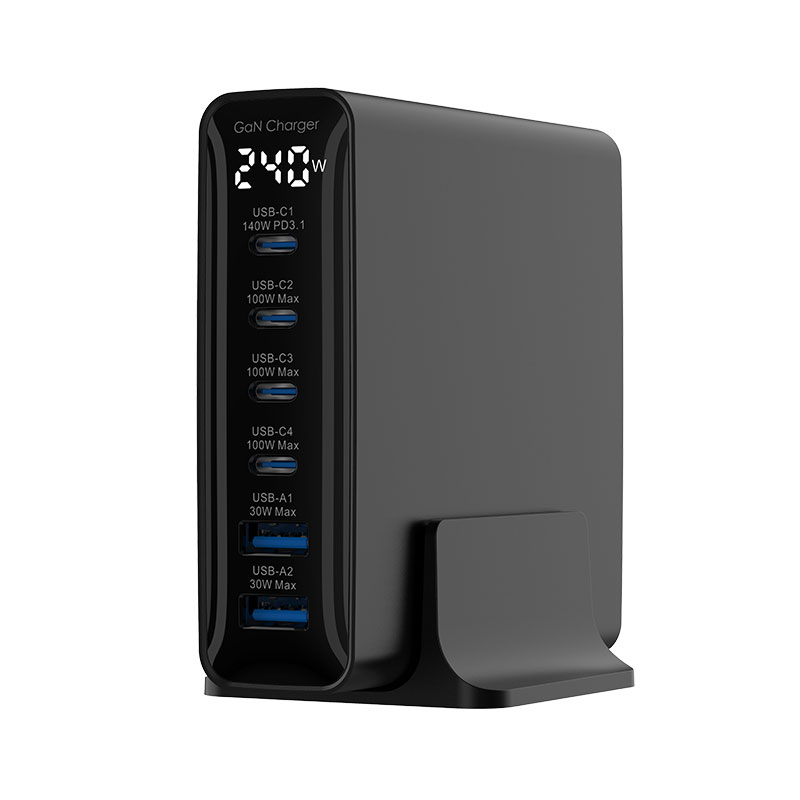
Customers connect our 100W charger to a USB-C dock, then the dock to their laptop, and the laptop says ‘charger not detected’ or ‘slow charger’. Why?
Short answer: The dock takes power from the charger, keeps some for itself and its connected devices, and offers the rest to the laptop. If the charger’s profile doesn’t match what the dock expects, the dock’s overhead leaves too little for the laptop, the cable between charger and dock is only 3A, or the dock’s firmware has compatibility issues, the laptop may report no charger or a slow one. Check the dock maker’s charger requirements and test the charger directly on the laptop.
How power pass-through works
A USB-C dock receives power from a charger on its power input port. It powers itself and any USB devices, then negotiates with the laptop to pass through the remaining power. Docks often reserve 10–15W or more for themselves; the exact figure depends on the dock.
Common causes
- Insufficient wattage: a 65W charger through a dock may give the laptop only about 50W.
- Cable: a 3A cable between charger and dock limits input to about 60W.
- Dock input port: some docks accept power only on a specific port.
- Profile mismatch: some docks require 20V input; chargers offering it usually work.
- Firmware: dock or laptop firmware may need updates for reliable power negotiation.
- Proprietary docks: some docks are designed for their own power adapters.
Tests
- Connect the charger directly to the laptop. If that works, the charger is fine.
- Use a 5A cable between charger and dock.
- Use the dock’s designated power input port.
- Check the dock maker’s recommended charger wattage.
- Update dock and laptop firmware.
Sizing
Add the laptop’s original adapter wattage and the dock’s overhead. A laptop needing 65W through a dock with 15W overhead needs about 80W or more at the dock input; a 100W charger fits.
What to tell customers
“Docks use some power themselves. Use at least the dock maker’s recommended charger and a 5A cable, and connect to the dock’s power input port.”
When it’s the charger
If the charger works directly with the laptop and the dock works with another charger of the same wattage, but not ours, report the combination; it may be a compatibility issue worth investigating with Wecent.
Where this answer says confirm with Wecent, the detail is not published on the product page and has to come from the datasheet or the factory. General facts come from the standards bodies, regulators or device makers named in the text.
Three more perspectives
Products discussed in this thread
Related articles & topics
Have a sourcing question about your own programme?
Ask our team More Charging speed & compatibility questions