
Talk · Troubleshooting · Charging speed & compatibility
Why does a power bank not charge a phone when it is itself charging?
Not necessarily.
 Wecent Editorial Team
Updated
3 min read
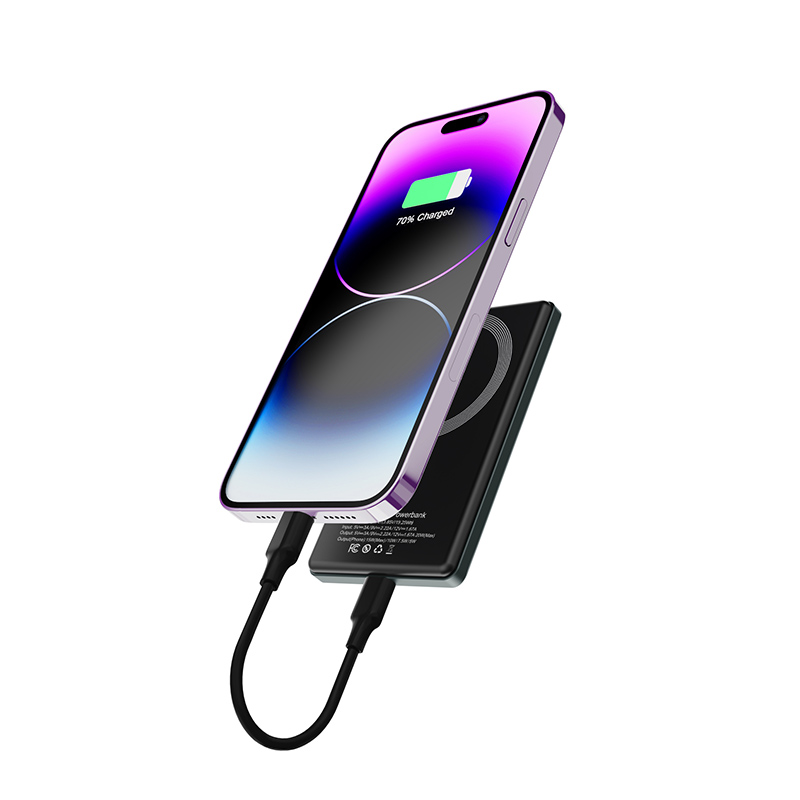
My power bank stops charging my phone when I plug the power bank into the wall. Is it faulty?
Short answer: Not necessarily. Many power banks cannot charge their own battery and output power to a phone at the same time, or can do it only at a low level, because the same circuit handles both. This feature is called pass-through. It also depends on the adapter’s power, the heat and the protection settings. Check the manual, and charge the power bank first if pass-through is not supported.
What pass-through means
A power bank with pass-through can send power from the wall to a device while it recharges itself. Not all do. Some switch off the output when the input is connected, and some allow it only with certain ports or at limited power.
Why it may not work
- No pass-through design. The circuit cannot do both at once.
- Limited power. The adapter provides enough to charge the bank, but not enough to also charge the phone.
- Heat protection. Doing both makes heat, and the power bank limits itself.
- Port rules. Only one port may support the feature.
- Battery protection. To protect the battery, the bank stops output while charging.
- Cable or adapter limits. A weak adapter reduces what is available.
What to check
- Read the manual to see if pass-through is supported and how.
- Use a stronger adapter and a good cable.
- Try a different output port.
- Charge the phone first from the bank, then charge the bank, or the other way around.
- Keep the power bank cool.
Is it a fault?
If the manual states that pass-through is supported and it does not work, contact the seller. If the manual says nothing, assume it is not supported.
Safety
Charging and discharging at the same time creates heat. Do not cover the power bank, and unplug it if it gets hot.
For brands
State clearly whether pass-through is supported, on which ports and at what power.
Quick summary
Many power banks cannot charge themselves and a phone at the same time. Check the manual and charge in turns.
Quick test of pass-through
Connect the power bank to the wall, then connect the phone and watch whether the phone’s charging symbol appears and stays on. Try each output port in turn. If the phone charges on one port only, the manual may describe that port as the pass-through one. Make a note and label the port with a small sticker.
Where this answer says to confirm with Wecent, the detail is not published on the product page and has to come from the datasheet or the factory. General facts come from the regulators, standards bodies or device makers named in the text.
Three more perspectives
Products discussed in this thread
Related articles & topics
Have a sourcing question about your own programme?
Ask our team More Charging speed & compatibility questions