
Talk · Troubleshooting · Charging speed & compatibility
How can I make my phone charge faster?
Use a charger and cable that match your phone's fastest supported charging, plug into a wall socket and not a computer, turn the screen off or use airplane mode, keep the phone cool and take off a thick case.
 Wecent Editorial Team
Updated
3 min read
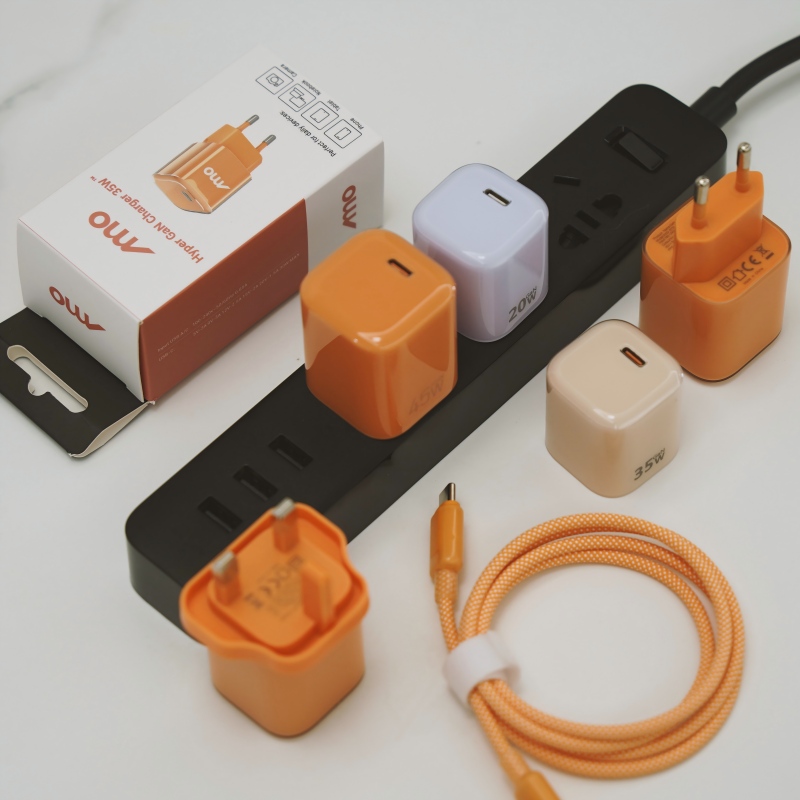
My phone takes forever to charge. How can I make it charge faster?
Short answer: Use a charger and cable that match your phone’s fastest supported charging, plug into a wall socket and not a computer, turn the screen off or use airplane mode, keep the phone cool and take off a thick case. Wired charging is faster than wireless. The last 20 percent is always slower, because phones slow down on purpose to protect the battery.
Start with the basics
Phones charge at the speed that the phone, the charger and the cable all allow, and the slowest one wins. Fix the weakest link first.
Practical steps
- Use a charger that matches your phone. Check what charging power your phone supports. A much weaker charger will be slow, while a stronger charger will not harm a phone that takes only what it needs.
- Use a good cable. A thin, long or damaged cable limits the current. Use the cable that came with the phone or a quality one rated for the power.
- Plug into the wall. A computer’s USB port usually gives much less power.
- Turn off the screen. Using the phone while charging slows the gain.
- Use airplane mode or turn off heavy apps, GPS and hotspot while charging, if you can wait.
- Keep it cool. A hot phone slows its own charging. Take off a thick case, and do not charge it in the sun or under a pillow.
- Prefer a cable to wireless. Wireless charging is usually slower and makes more heat.
- Check the port. Lint in the port can limit contact.
- Check the settings. Some phones have battery-care or optimised charging features that slow charging at certain levels.
Why the end is slow
The battery charges fastest when it is low. As it fills, the phone reduces current, so the last part takes longer. This protects the battery, and it is normal.
What does not help
- Very expensive cables beyond what the phone supports.
- Chargers from unknown sources with big claims. They can be slow or unsafe.
- Turning the phone off, which helps a little at most.
Quick top-up habit
If you often need power quickly, charge for 15 to 30 minutes when the battery is low, rather than waiting for a full charge. It gives the most gain per minute.
For sellers
Explain the power each phone supports, and recommend a matching charger and cable, so customers get the speed they expect.
Quick summary
Match the charger and cable to your phone, use a wall socket, keep it cool, and leave the screen off.
Where this answer says to confirm with Wecent, the detail is not published on the product page and has to come from the datasheet or the factory. General facts come from the regulators, standards bodies or device makers named in the text.
Three more perspectives
Products discussed in this thread

Related articles & topics
Have a sourcing question about your own programme?
Ask our team More Charging speed & compatibility questions