
Talk · Selection · Travel plugs, form factor & materials
Is a smart-screen display useful for business travellers?
Yes, for some. A display shows whether a laptop is getting enough power and which port is doing what, which helps with hotel sockets and shared chargers. It adds cost and a little light at night. Choose it for tech-savvy travellers who value feedback.
 Wecent Editorial Team
Updated
3 min read
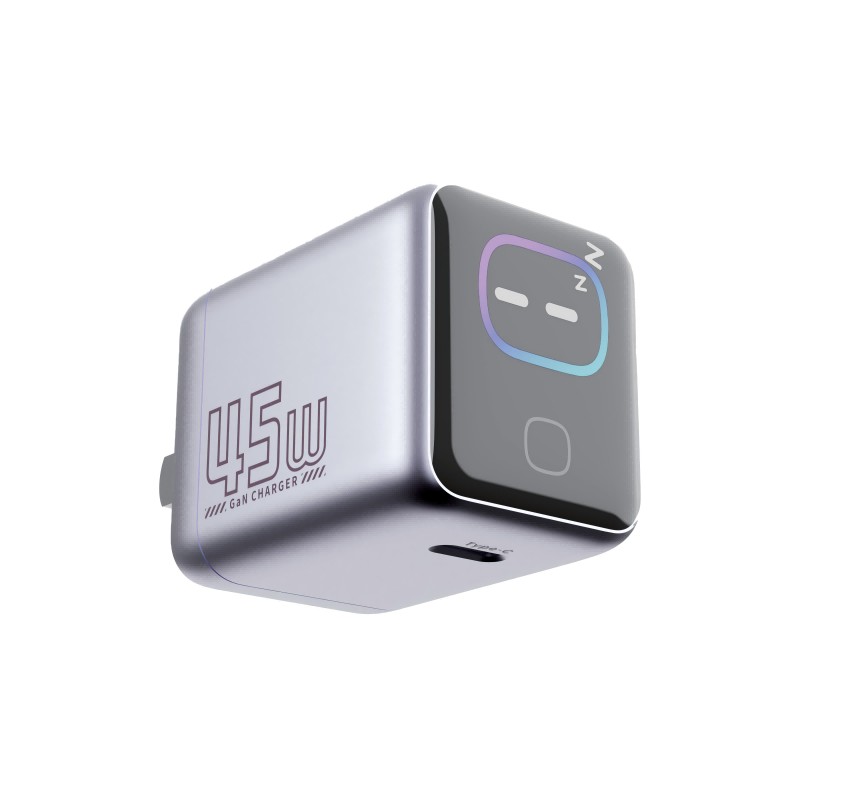
We’re choosing a travel charger for a corporate travel programme. Is a model with a power display worth it for business travellers, or just a gimmick?
Short answer: For many business travellers it is genuinely useful. The display shows how much power each port delivers, so users can see at a glance whether a laptop is fast-charging, whether a cable is limiting power, or whether a hotel socket is loose. It costs more than a plain charger and adds a light in the room. For travellers who just want to plug in and forget, a plain multi-port charger is fine.
What the display tells users
Smart-screen chargers usually show the output on each port, sometimes with voltage and current. That turns invisible problems into visible ones. If a laptop shows 25W instead of 60W, the user knows to check the cable or port before a long meeting rather than discovering a flat battery later.
Where it helps travellers
- Hotel sockets: a display that flickers or resets points to a loose socket or poor adapter.
- Borrowed cables: a low reading shows that the cable is limiting power.
- Several devices: users see how power is shared and can move the laptop to the stronger port.
- Peace of mind: seeing the laptop charge at full power before a flight is reassuring.
Downsides
A display adds cost and some complexity. It also emits light at night, which some travellers dislike in hotel rooms. Check whether the model dims or turns off its display automatically. A display is also one more component that can fail, although that is rare.
Who should get one
Frequent travellers with laptops, IT staff, and anyone who supports colleagues remotely benefit most. Occasional travellers with only a phone gain little from it.
Choosing a model
Look at the total power and per-port allocation first; the display doesn’t change what the charger can deliver. For laptop users, 65W–100W with at least two USB-C ports is a good range. Check plug options for the countries travellers visit, and whether interchangeable heads are available.
Readings are indicative
Charger displays show the charger’s own measurements, which are useful but not calibrated meters. They are good for spotting a big difference, such as 20W versus 60W, but shouldn’t be treated as precise.
What to confirm with Wecent
Ask for each model’s display behaviour (auto-off, brightness), per-port output with several devices connected, plug options and input range. Avoid claiming measurement accuracy unless Wecent provides data to support it.
Where this answer says confirm with Wecent, the detail is not published on the product page and has to come from the datasheet or the factory. General facts come from the standards bodies, regulators or device makers named in the text.
Three more perspectives
Products discussed in this thread
Related articles & topics
Have a sourcing question about your own programme?
Ask our team More Travel plugs, form factor & materials questions