
Talk · Use · Everyday home & office use
How should a speaker-and-charger device be used at night?
Dim or turn off lights, set volume and alarm features before bed, place it on a hard surface with space around it, and keep the phone centred. Disconnect Bluetooth if you don't want notifications through the speaker.
 Wecent Editorial Team
Updated
3 min read
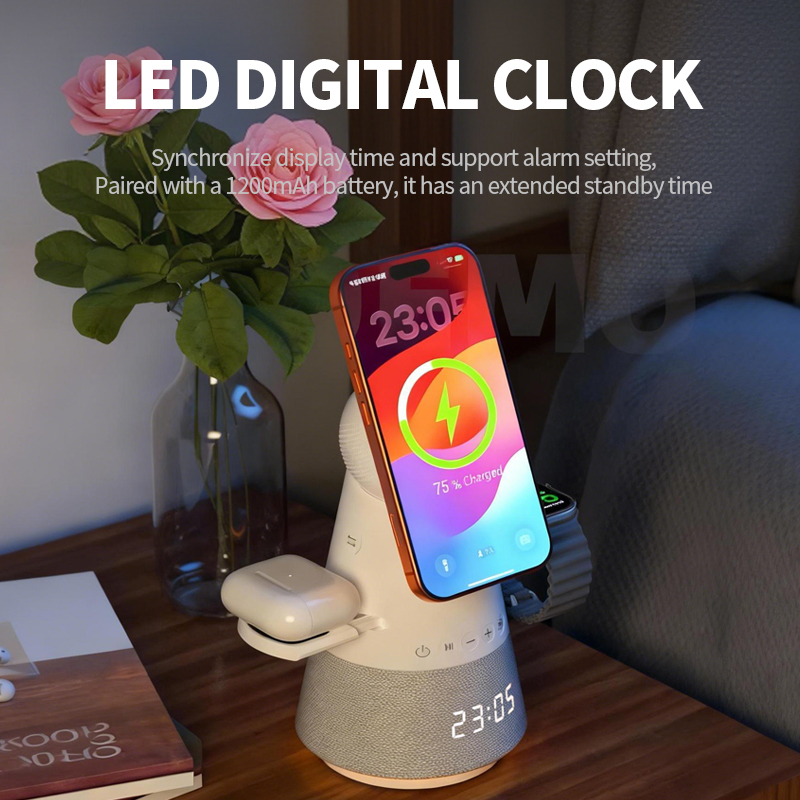
Customers use our speaker charger on their bedside table. Some complain about light and sounds at night. How should they use it?
Short answer: Before bed: dim or turn off indicator lights if the model allows, lower the speaker volume or disconnect Bluetooth to avoid notification sounds, and check any alarm settings. Place it on a hard surface away from bedding, centre the phone on the charging area, and remove thick cases. Use the recommended adapter. Overnight wireless charging is fine in normal use.
Lights
Many speaker chargers have indicator lights or ambient lighting. Check the manual for dimming or switching them off. If there’s no option, place the device so the light doesn’t face the bed.
Sound and notifications
- If the phone stays connected via Bluetooth, notification sounds and calls may play through the speaker.
- Lower the speaker volume before bed or disconnect Bluetooth.
- Use the phone’s sleep or focus mode to silence notifications.
Alarms
If the device has an alarm or radio function, check the time and alarm settings. After a power interruption, settings may need checking.
Placement
- Hard, flat surface such as a bedside table.
- Not on beds, pillows or soft furnishings.
- Space around it for air.
- Away from drinks and water.
Charging
Place the phone centred on the charging area. Remove thick cases and metal accessories. The phone manages charging and may pause near 80% with optimised charging. That’s normal.
Using it as a bedside clock or radio
If the model has a clock or radio, set the alarm volume before bed and check it the first night, so a quiet alarm doesn’t cause a late start.
Adapter
Use the adapter specified in the manual. A weak adapter may cause the speaker and charger to compete for power, leading to slower charging or audio issues.
When to stop using it
- Unusual heat, smell or crackling.
- Visible damage.
- Audio distortion together with heat.
Children’s rooms
For children’s rooms, choose a placement out of reach of young children, keep cables tidy, and consider whether a speaker connected to a phone is appropriate at night. Parents may prefer to disable Bluetooth pairing overnight.
Quick bedtime checklist
Lights dimmed, volume set, phone centred, alarm checked. A short card in the box with this checklist helps users settle into the product quickly.
Confirm with Wecent which light and sound settings each model offers before publishing instructions.
Where this answer says confirm with Wecent, the detail is not published on the product page and has to come from the datasheet or the factory. General facts come from the standards bodies, regulators or device makers named in the text.
Three more perspectives
Products discussed in this thread
Related articles & topics
Have a sourcing question about your own programme?
Ask our team More Everyday home & office use questions