
Talk · Troubleshooting · Charging speed & compatibility
Why does a 140W charger only give 100W?
Above 100W, USB Power Delivery needs Extended Power Range (EPR): a 48V-capable 5A e-marked cable, an EPR-capable device, and a port that offers 140W. If any part is missing, charging falls back to 100W or less.
 Wecent Editorial Team
Updated
3 min read
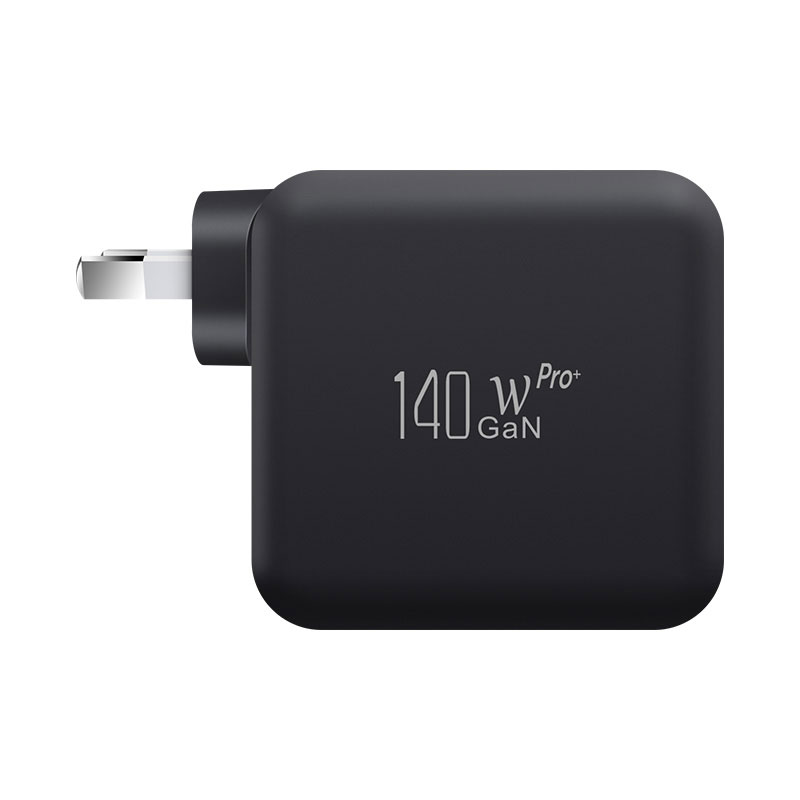
A customer bought our 140W charger for a 16-inch MacBook Pro but says it only shows 100W. Is the charger faulty?
Short answer: Usually not. Power above 100W uses USB PD Extended Power Range (EPR), which needs three things: a port that offers 140W, an EPR-rated USB-C cable (rated for 240W / 48V and 5A), and a device that requests EPR power. A standard 100W (20V 5A) cable, a non-EPR laptop, or a second device sharing power on a multi-port charger will all limit it to 100W or less.
How power above 100W works
Standard Power Range (SPR) under USB PD tops out at 20V 5A, which is 100W. To go higher, USB PD 3.1 added EPR with fixed voltages of 28V, 36V and 48V. A 140W laptop charge typically uses 28V at 5A. Both the charger and the device must support EPR, and the cable must be EPR-rated.
Check the cable first
Most “only 100W” cases are cable-related. A cable marked 100W or 5A is not necessarily EPR-rated. Look for a cable explicitly rated 240W, or ask the cable supplier for its USB-IF certification and e-marker details. A cable without the right e-marker limits charging to SPR.
Check the device
Not every laptop requests 140W. Some 16-inch MacBook Pro models support fast charging at up to 140W via USB-C; many other laptops are limited to 100W or less. Check the laptop maker’s specification for the maximum USB-C input.
Check the port and the load
- On multi-port chargers, often only one port offers 140W, and only when used alone.
- Connecting a second device usually redistributes power, and the main port drops.
- Check the port labels or manual to see which port is the high-power one.
Check what the laptop reports
On a Mac, System Information shows the power adapter wattage under Power. The figure shown is what the laptop negotiated. The actual draw varies with battery level and workload; a laptop near full or idle draws less than the negotiated maximum.
When it is a charger problem
If an EPR-rated cable, an EPR-capable laptop and the high-power port used alone still only give 100W, record the setup and contact the seller with the model and batch code. Confirm with Wecent each 140W model’s port allocation and EPR support before advertising 140W per port.
Set expectations in listings
State which port gives 140W, that an EPR (240W) cable is required, and that the laptop must support it. That prevents most of these tickets.
Where this answer says confirm with Wecent, the detail is not published on the product page and has to come from the datasheet or the factory. General facts come from the standards bodies, regulators or device makers named in the text.
Three more perspectives
Products discussed in this thread
Related articles & topics
Have a sourcing question about your own programme?
Ask our team More Charging speed & compatibility questions