
Talk · Troubleshooting · Wireless & magnetic faults
Why does an Apple Watch not charge on our 3-in-1 stand?
Apple Watch doesn't charge on standard Qi. It needs a compatible watch charging module, the right orientation and an adapter that powers all three positions.
 Wecent Editorial Team
Updated
3 min read
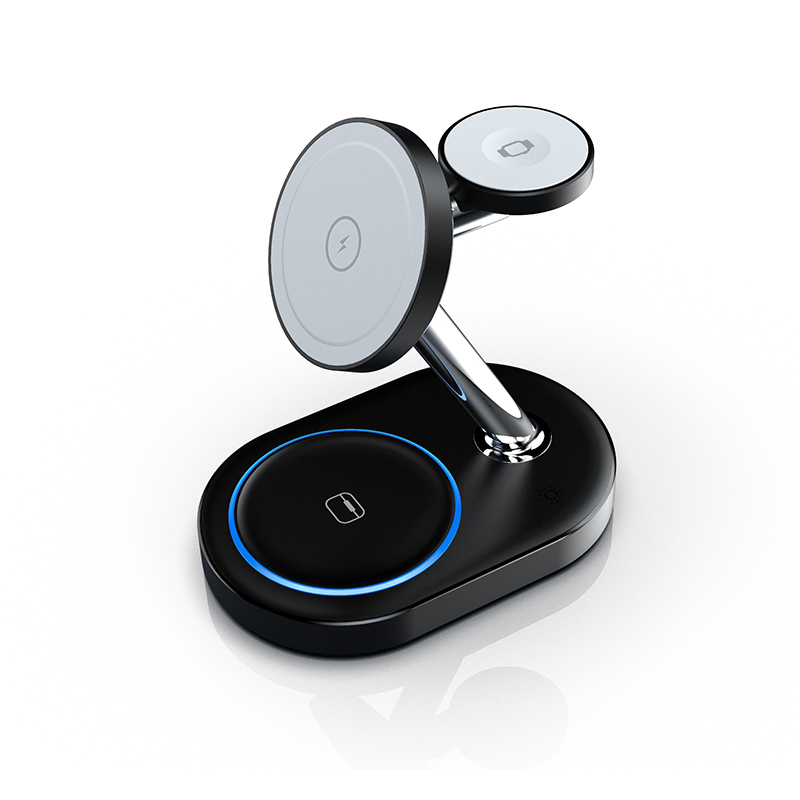
Some customers say their Apple Watch doesn’t charge on our 3-in-1 magnetic stand, while the phone and earbuds do. Is the watch module faulty?
Short answer: Sometimes, but first rule out the usual causes. Apple Watch uses its own magnetic charging system, not standard Qi, so the watch position needs a module made for Apple Watch. Then check alignment, anything between watch and puck, the watch’s own charging state, and whether the adapter powers all three positions.
How Apple Watch charging differs
Apple Watch charges through its own magnetic charger design, not through the Qi standard used for phones and earbuds. A 3-in-1 stand must include a watch module designed to work with Apple Watch. Some 3-in-1 stands use generic watch modules. Compatibility can vary by watch generation, so confirm with Wecent which watch models the module on your exact stand has been checked with.
Support checklist
- Placement: the back of the watch must sit centred on the puck. A thick band, or a stand angle that pulls the watch sideways, breaks contact.
- Nothing in between: screen protectors that wrap the back, cases and film on the sensor area can block charging.
- Clean surfaces: skin oils and dust on the watch back or puck can reduce contact. Wipe both with a dry cloth.
- Adapter power: a stand charging three devices needs an adapter that meets the stand’s input requirement. A weak adapter can leave the watch without enough power.
- Watch state: Apple’s own guidance for Apple Watch charging includes restarting the watch and checking that charging isn’t paused by its battery-protection features.
- Swap test: if possible, test another Apple Watch on the stand, or the watch on Apple’s charger.
Software updates
Watch software updates can change charging behaviour. If complaints start after a new watchOS release, record that in the ticket and report it to Wecent, rather than replacing units one by one.
When to treat it as a fault
If the watch charges on Apple’s charger but not on the stand, with good placement, a clean surface and the correct adapter, the module may be incompatible with that watch model or faulty. Record the watch model and the stand’s batch code, and start a return.
What to state on the listing
Name the watch models that are confirmed compatible, and don’t say “works with all Apple Watch models” unless Wecent has confirmed it. Also avoid using Apple’s trademarks in ways your agreement doesn’t permit.
Where this answer says confirm with Wecent, the detail is not published on the product page and has to come from the datasheet or the factory. General facts come from the standards bodies, regulators or device makers named in the text.
Three more perspectives
Products discussed in this thread
Related articles & topics
Have a sourcing question about your own programme?
Ask our team More Wireless & magnetic faults questions