
Talk · Troubleshooting · Charging speed & compatibility
Why does a Samsung phone show ‘Fast charging’ but not ‘Super fast charging’?
Samsung's Super Fast Charging uses USB PD with PPS. A charger without PPS, a port that doesn't offer it, or the wrong cable gives standard 'Fast charging' instead. For 45W Super Fast Charging 2.0, a 5A cable is also needed.
 Wecent Editorial Team
Updated
3 min read
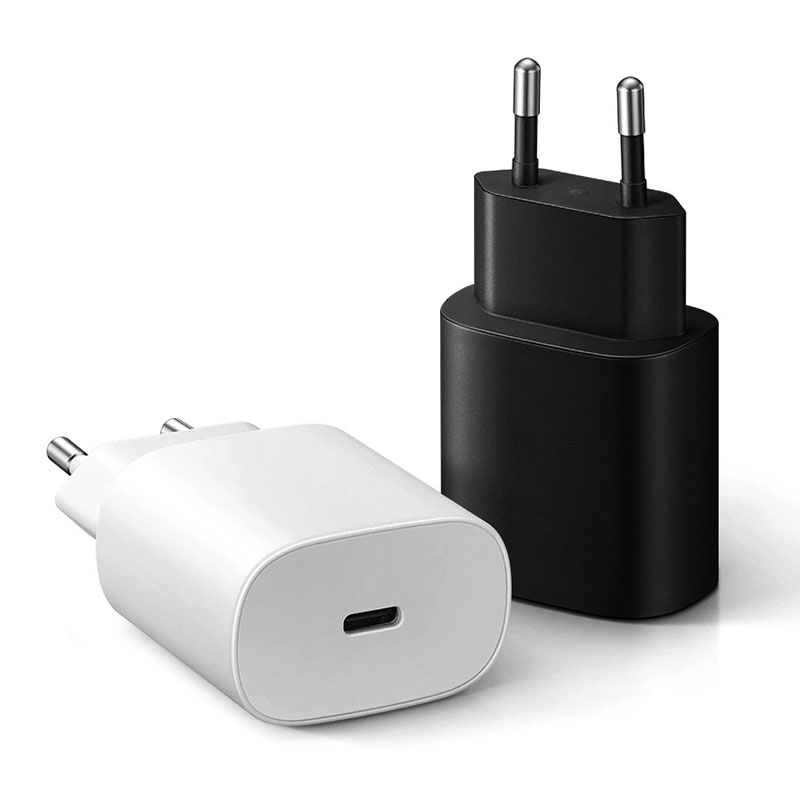
Customers with Galaxy phones say our charger shows ‘Fast charging’ rather than ‘Super fast charging’. Is the charger not compatible?
Short answer: Samsung’s Super Fast Charging relies on USB Power Delivery with PPS (Programmable Power Supply). If the charger or the port in use doesn’t offer PPS at the required current, the phone falls back to standard fast charging. Check that the charger supports PPS on that port, that it’s a USB-C to USB-C connection, and, for 45W Super Fast Charging 2.0, that the phone supports it and a 5A cable is used. Also check the phone’s fast-charging settings.
What PPS does
PPS is part of USB PD that lets the phone request small voltage and current steps instead of fixed voltages. Samsung uses this for Super Fast Charging (often 25W) and Super Fast Charging 2.0 (45W) on supported models. A charger that only offers fixed PD voltages charges the phone, but the phone labels it “Fast charging”.
Check the charger
- Does the charger list PPS support, and on which ports?
- What PPS current range does it offer? 45W Super Fast Charging 2.0 typically needs PPS at up to 5A.
- On multi-port chargers, PPS may be limited when several ports are in use.
Check the cable
Use USB-C to USB-C. For 25W, a good 3A cable works. For 45W, a 5A e-marked cable is required. USB-A ports and USB-A to C cables generally won’t trigger Super Fast Charging.
Check the phone
- Not all Galaxy models support 45W; many support 25W, and some lower-end models less.
- Fast charging can be switched off in battery settings.
- Battery protection features may limit charging near full.
- Heat reduces charging speed; a hot phone may not show Super Fast.
- The label appears when charging starts; it may change near full charge.
Test steps
- Connect only the phone to the charger’s main USB-C port.
- Use a known-good USB-C cable (5A for 45W).
- Check the label on the lock screen when plugging in with battery below about 50%.
- Try with fast charging enabled in settings.
When it’s the charger
If a PPS charger with the right cable still shows standard fast charging on a supported phone, compare with another PPS charger. If others work, report the model and batch.
Listing guidance
Write “supports PPS for Samsung Super Fast Charging (25W)” only if confirmed. Confirm with Wecent each model’s PPS ranges per port before making Samsung-specific claims.
Where this answer says confirm with Wecent, the detail is not published on the product page and has to come from the datasheet or the factory. General facts come from the standards bodies, regulators or device makers named in the text.
Three more perspectives
Products discussed in this thread
Related articles & topics
Have a sourcing question about your own programme?
Ask our team More Charging speed & compatibility questions