
Talk · Selection · Wired GaN chargers: wattage, ports & protocols
Do our chargers need PPS to support Samsung Super Fast Charging?
Yes. Samsung's Super Fast Charging runs on USB PD with the Programmable Power Supply (PPS) feature. Without PPS, a Galaxy phone falls back to slower charging.
 Wecent Editorial Team
Updated
3 min read
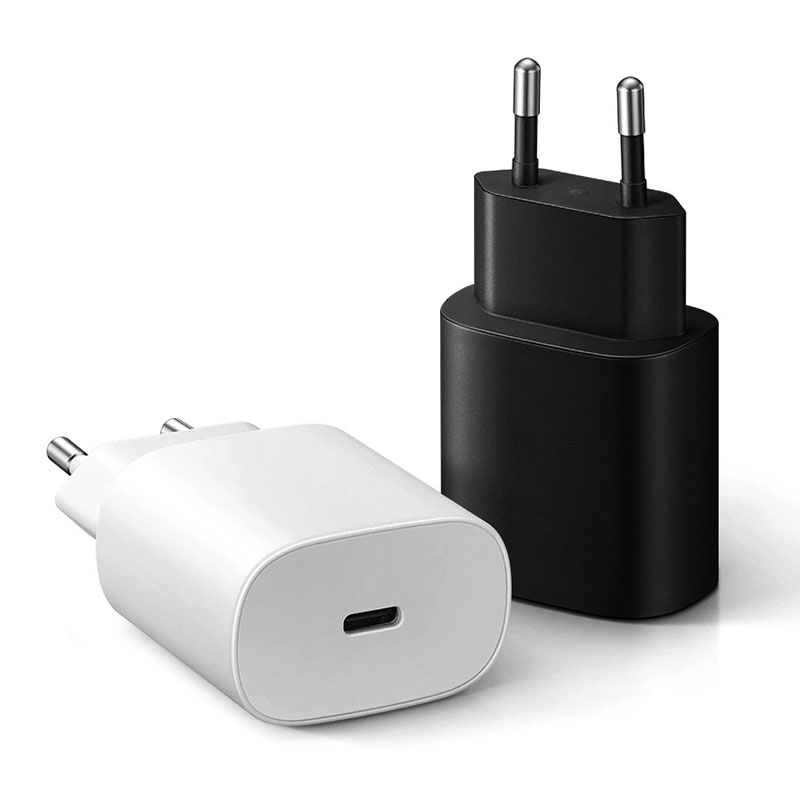
Many of our customers use Samsung Galaxy phones. We plan to sell a 25W charger ‘for Samsung’ and possibly a higher-wattage model. What does the charger need to support so the phone shows ‘Super fast charging’?
Short answer: The charger needs USB Power Delivery with PPS (Programmable Power Supply), at a power level the phone supports. For Samsung’s 25W mode a PPS charger and a standard USB-C cable are enough. Phones that support the 45W mode also need a 5A e-marked USB-C cable. A PD charger without PPS will still charge the phone, just more slowly.
What PPS does
PPS is part of the USB Power Delivery specification since PD 3.0. Instead of fixed voltages, the charger offers a voltage range that the phone can adjust in small steps during charging. Samsung uses this for its Super Fast Charging modes. That lets the phone control the charge more directly and keeps heat in the phone lower than with a fixed higher voltage.
What the phone shows
Galaxy phones show different messages depending on what the charger and cable support, for example “Fast charging” or “Super fast charging”. The exact messages vary by model and software version. A PD charger without PPS typically gets the slower mode.
What to check in a charger
- The datasheet should list PPS profiles, including the voltage and current range per USB-C port. For the 25W “for Samsung” model the product page says it is tuned for Samsung fast charging. Confirm the exact PPS range with Wecent before you print claims.
- For a 45W claim, the PPS range must reach the current the phone needs, and the cable must be 5A e-marked.
- On multi-port chargers, check whether PPS stays available when two ports are in use. It often doesn’t.
Which phones need what
Not all Galaxy phones support the higher 45W mode; many support 25W. Check the device’s official specifications on Samsung’s site and match the claim to the devices you name. “Super fast charging” on a listing should name the models or the wattage.
Cables and the 25W mode
For the 25W mode, a normal 3A USB-C to USB-C cable is enough. A USB-A to USB-C cable can’t carry USB PD, so PPS won’t work through a USB-A port at all. That matters for 1A1C models: the phone must be on the USB-C port.
What to avoid
Don’t put Samsung’s trademarks or logos on your packaging unless you have permission. “Compatible with Samsung Super Fast Charging (25W)” in text is the usual safe form, but check with your adviser for your market.
Where this answer says confirm with Wecent, the detail is not published on the product page and has to come from the datasheet or the factory. General facts come from the standards bodies, regulators or device makers named in the text.
Three more perspectives
Products discussed in this thread

Related articles & topics
Have a sourcing question about your own programme?
Ask our team More Wired GaN chargers: wattage, ports & protocols questions