
Talk · Maintenance · Stock, warehouse & retail handling
How should hotels inspect in-room wireless chargers?
Add a quick check to housekeeping: visible damage, cable and adapter in place, surface clean and free of debris, indicator working with a test phone. Remove anything damaged and keep a simple log per room.
 Wecent Editorial Team
Updated
3 min read
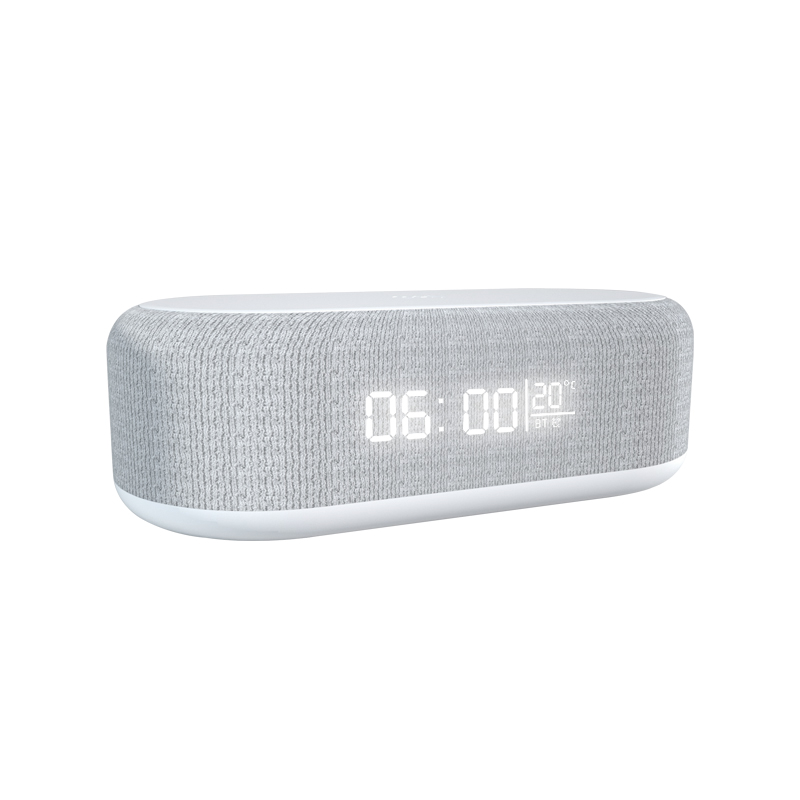
We supply bedside wireless chargers with clocks to a hotel group. Their engineering team asks what housekeeping and maintenance should check. What should we suggest?
Short answer: Daily during room turnover: check the charger and cable for visible damage, confirm the adapter and cable are in place and plugged in, wipe the surface, and remove debris. Weekly or between stays: test charging with a staff phone. Remove any unit that is damaged, hot, smells or doesn’t work, and log issues by room. Clock models may need the time checked after power interruptions.
Daily housekeeping check
- Charger in place, not moved or covered.
- Cable and adapter present and plugged in.
- No visible damage: cracks, burn marks, frayed cables.
- Surface clean; wipe with a dry or slightly damp cloth after unplugging if needed.
- No debris, coins or metal objects on the charging area.
Periodic function test
- Place a staff test phone on the charger.
- Check the charging indicator appears on the phone.
- Check any clock display shows the correct time.
- Note any issues on a room log.
Remove and report
Housekeeping should remove a charger that is damaged, hot, smells, buzzes or doesn’t charge, and report it to engineering. Replace it from a spare stock so the room isn’t left without one.
Cleaning products
Avoid spraying cleaning products directly on chargers. Spray a cloth lightly and wipe, after unplugging. Don’t let liquid reach ports or seams.
Clocks and power cuts
Clock chargers may lose time after power interruptions unless they have a backup. Add a time check after maintenance work or outages. Confirm with Wecent whether the clock model keeps time without power.
Guest information
A small card helps guests: “Place your phone in the centre. Remove thick cases. Not all phones support wireless charging.” It reduces front-desk calls.
Spare stock
Keep a few spare chargers, cables and adapters per property. Missing cables are one of the most common issues in hotels.
Seasonal deep check
A few times a year, engineering can do a deeper check: inspect adapters and sockets for heat marks, replace worn cables, and confirm that firmware or clock settings are correct across rooms.
Logging
Keep a simple log: room, date, issue, action. Review monthly. A cluster of failures in one area may point to a power or socket problem; repeated failures of one model help the supplier investigate.
Where this answer says confirm with Wecent, the detail is not published on the product page and has to come from the datasheet or the factory. General facts come from the standards bodies, regulators or device makers named in the text.
Three more perspectives
Products discussed in this thread
Related articles & topics
Have a sourcing question about your own programme?
Ask our team More Stock, warehouse & retail handling questions