
Talk · Troubleshooting · Charging speed & compatibility
Why does a charger shut off when a second laptop connects?
Multi-port chargers share a fixed total. When a second device connects, the charger renegotiates every port, and laptops briefly stop charging. A true shutdown can mean overload, overheating or a weak power source.
 Wecent Editorial Team
Updated
3 min read
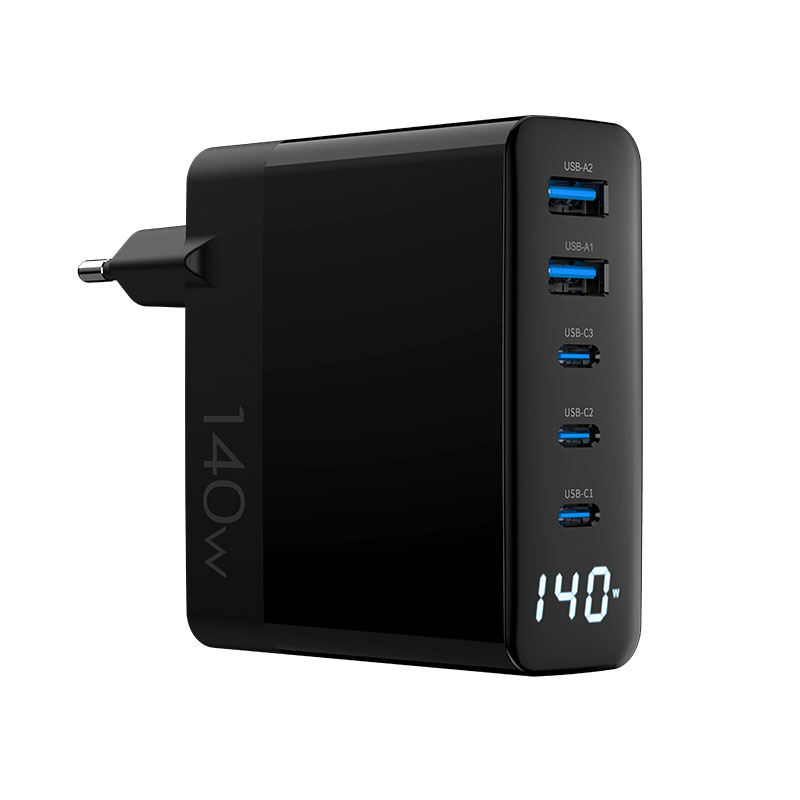
With our 140W multi-port charger, plugging in a second laptop makes the first one stop charging for a moment, and sometimes everything stops. Is that a fault?
Short answer: A brief pause is normal on most multi-port chargers: when a device is connected or removed, the charger recalculates how much each port gets and resets the power negotiation, so all devices momentarily stop and restart. A complete shutdown that doesn’t recover, repeated cycling, or heat are not normal and point to overload, thermal protection, a weak power source or a fault.
Why the brief pause happens
USB PD chargers advertise power profiles on each port. When the load changes, many chargers re-advertise new limits on all ports, which makes connected devices briefly stop charging and renegotiate. Laptops usually resume within a few seconds at their new allocation.
How the total gets split
A 140W charger doesn’t give 140W to each port. With two laptops, each might get 65W, or one 100W and the other less, depending on the charger’s design. Check the port allocation table in the manual; confirm with Wecent the exact split for each model.
When it’s more than a pause
- Doesn’t recover: the charger may have hit overcurrent or overtemperature protection. Unplug it for a minute and try again with fewer devices.
- Keeps cycling: devices may be repeatedly renegotiating because the allocated power is too low for their demand. Try connecting the laptops in a different order or using the higher-power port for the larger laptop.
- Charger very hot: thermal protection may be active. Improve ventilation, don’t cover the charger.
Check the power source
Loose wall sockets, overloaded power strips or travel adapters can drop voltage briefly, causing resets. Plug the charger directly into a good wall socket to test.
Firmware and models
Some multi-port chargers handle renegotiation more smoothly than others; designs differ. If a particular laptop model always drops out when another device connects, note it and share it with the seller, since it helps identify a compatibility pattern.
Check cables
Use 5A e-marked cables for laptop ports above 60W. A marginal cable may cause unstable negotiation when power shifts.
Guidance for users
- Connect the larger laptop first, on the highest-power port.
- Expect a short pause when adding a device.
- If charging doesn’t resume, unplug all devices, wait, then reconnect one at a time.
When to report
Repeated full shutdowns with a good socket and good cables, heat, smell or noise should be reported with model, batch code and the devices used.
Where this answer says confirm with Wecent, the detail is not published on the product page and has to come from the datasheet or the factory. General facts come from the standards bodies, regulators or device makers named in the text.
Three more perspectives
Products discussed in this thread
Related articles & topics
Have a sourcing question about your own programme?
Ask our team More Charging speed & compatibility questions