
Talk · Troubleshooting · Wireless & magnetic faults
Why does a phone charge slowly or stop on a 3-in-1 wireless charger when it has a case on?
Thick cases, metal parts, cards and poor alignment all increase the distance or interference between the coils. Heat-based throttling and an underpowered adapter are the other usual causes.
 Wecent Editorial Team
Updated
3 min read
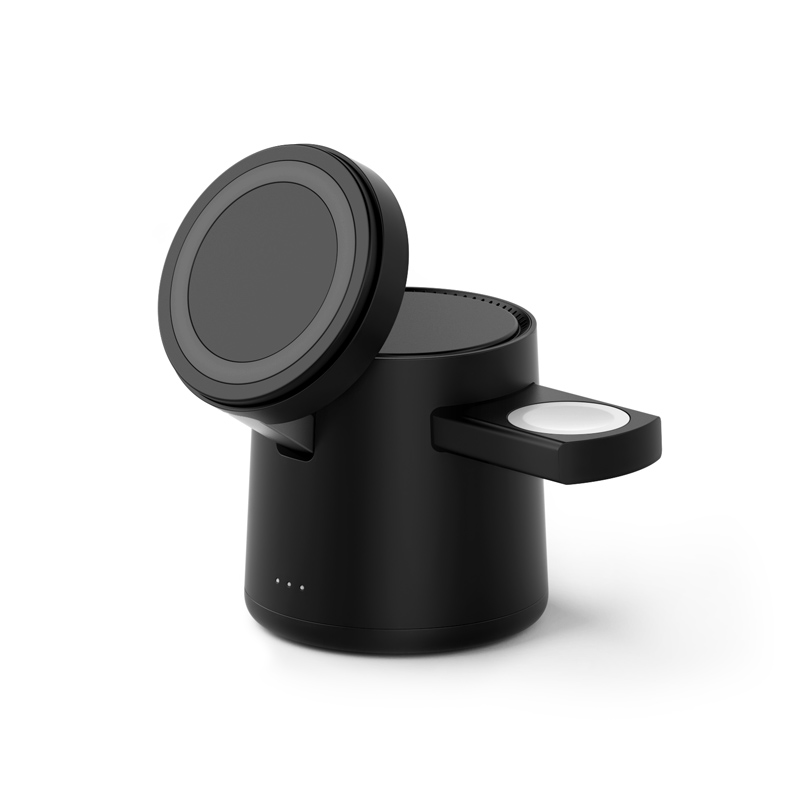
We get complaints that phones charge slowly or keep stopping on our 3-in-1 wireless charger (Z403-type). Most of these customers use a phone case. Is the charger the problem?
Short answer: Usually it’s the setup, not the charger. Thick, metal or battery cases, cards or a metal plate in the case, off-centre placement, heat, and an adapter that is too weak for the charger’s input are the common causes. Work through them in order before you treat the unit as faulty.
What the case does
Wireless charging uses magnetic induction between two coils, and efficiency drops as the distance between them grows. A thicker case adds distance. For MagSafe cases, Apple’s accessory guidelines limit thickness to about 2 mm. Apple’s own support pages say that thick, metal or battery cases can make iPhone charging slow or stop it, and that cards, badges or key fobs should not sit between the phone and the charger.
Other common causes
- Alignment: without magnets, or with a badly placed magnetic ring, the phone coil sits off-centre.
- Heat: phones limit charging when the battery gets warm. Apple says an iPhone may hold charging at 80% until it cools. A case traps heat too.
- Vibration: notifications can move the phone off the coil, and the charger then stops.
- Input power: a 3-in-1 charger shares its input between phone, watch and earbuds. If the adapter is weaker than the manual specifies, all three slow down.
- Foreign object detection: metal in or on the case can trigger the charger’s protection, so it stops on purpose.
Troubleshooting order for your support team
- Check the adapter and cable against the charger’s stated input requirement.
- Remove cards, metal plates and ring holders, then try again.
- Try without the case. If it then works, the case is the cause.
- Centre the phone, or use a case with a proper magnetic ring.
- Let a hot phone cool down; avoid direct sun and covered spaces.
- Turn off vibration or use Do Not Disturb overnight.
- Only if it still fails with a bare phone, the correct adapter and good placement, treat it as a possible defect.
Limits
We have not tested specific case brands on these models. If a bare phone still charges slowly with the specified adapter, send the unit and its batch code to the supplier for checking. Behaviour varies by phone model, case design and software version.
Facts cited here come from the named standards bodies, regulators, Apple support documentation and Wecent product pages. Points marked “ask”, “confirm” or “check” are recommendations or open questions to settle with your supplier, not verified specifications.
Three more perspectives
Products discussed in this thread

Related articles & topics
Have a sourcing question about your own programme?
Ask our team More Wireless & magnetic faults questions