
Talk · Use · Everyday home & office use
What does the power display on a smart-screen GaN charger actually measure, and how accurate is it?
The display shows the charger's own output reading. It is useful for spotting cable and negotiation problems, but it is not a lab meter, and it does not show battery or wall power.
 Wecent Editorial Team
Updated
3 min read
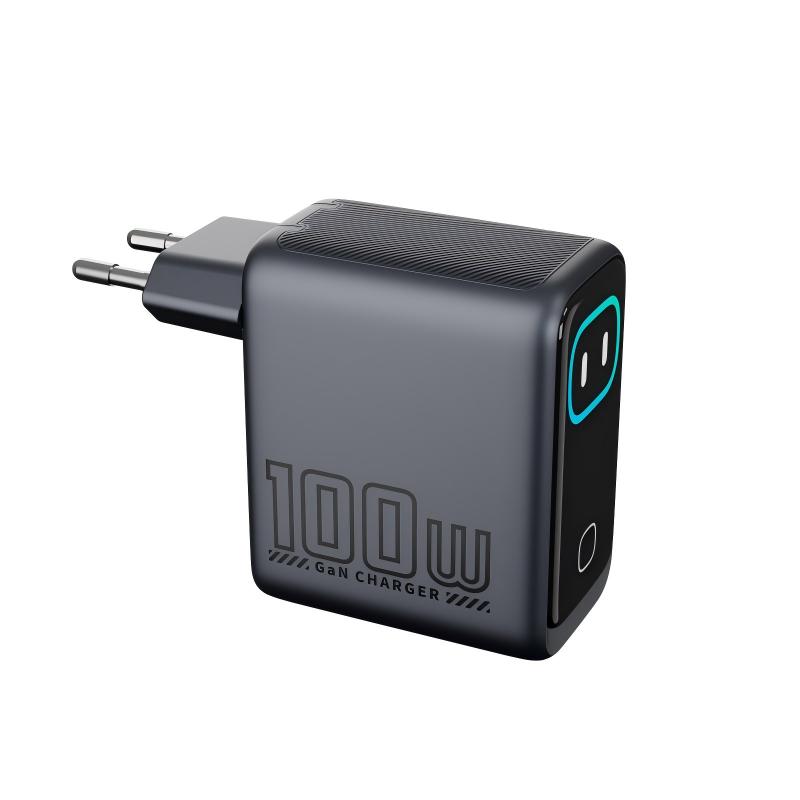
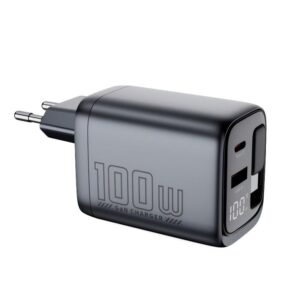
We plan to sell the WEX100 Pro smart-screen charger. Customers will compare its watt reading with their laptop’s battery info and with plug-in energy meters. Which number is right, and can we claim the display is accurate?
Short answer: They measure different points. The charger’s display shows its estimate of power leaving its own port. The laptop shows what goes into the battery, after cable and internal losses. A wall meter shows power drawn from mains, including the charger’s own losses. Don’t make an accuracy claim until you have the manufacturer’s stated tolerance in writing.
Three readings, three measurement points
- Wall meter: AC input power. This is the highest number, because it includes the charger’s conversion losses.
- Charger display: DC output at the charger port, usually calculated by the charger’s controller from measured voltage and current.
- Device reading: what the phone or laptop reports. That can be its input, or power into the battery, depending on the operating system.
So the numbers are expected to differ, and a gap of a few watts between them does not prove that any of them is wrong.
The cable adds to the gap. A long or thin cable loses some power as heat, so the device receives a little less than the charger reports, and more so at high current.
What the display is good for
It’s very useful for diagnosis. If a 100W laptop setup reads about 60W, the cable is probably limited to 3A. If the number swings when a second device is connected, that is the power sharing at work. If it drops slowly over a long session, the device’s battery management is tapering the charge, which is normal near full charge.
What it is not
It is not a calibrated instrument. Wecent’s product pages for the WEX100 Pro, WEX45Pro and WEX140S do not state a display tolerance, and we won’t guess one here. Accuracy usually also changes across the range: low currents are typically harder to read precisely than high ones.
Before you write product copy
- Ask Wecent for the display specification: the quantity shown, resolution, update rate and tolerance, plus the test method behind it.
- Check a sample against a calibrated USB-C power analyser at a few loads, such as a phone, a laptop and two devices.
- Word the claim to fit the evidence, for example “shows real-time output power”. Avoid “accurate to X%” unless you have it in writing.
- Explain the three measurement points in the manual. It prevents “the screen is lying” reviews.
Facts cited here come from the named standards bodies, regulators, Apple support documentation and Wecent product pages. Points marked “ask”, “confirm” or “check” are recommendations or open questions to settle with your supplier, not verified specifications.
Three more perspectives
Products discussed in this thread
Related articles & topics
Have a sourcing question about your own programme?
Ask our team More Everyday home & office use questions