
Talk · Maintenance · Care, cleaning & lifecycle
How should silicone and soft-touch charger finishes be cleaned?
Unplug it first, then wipe with a soft cloth lightly dampened with water and a drop of mild soap.
 Wecent Editorial Team
Updated
3 min read
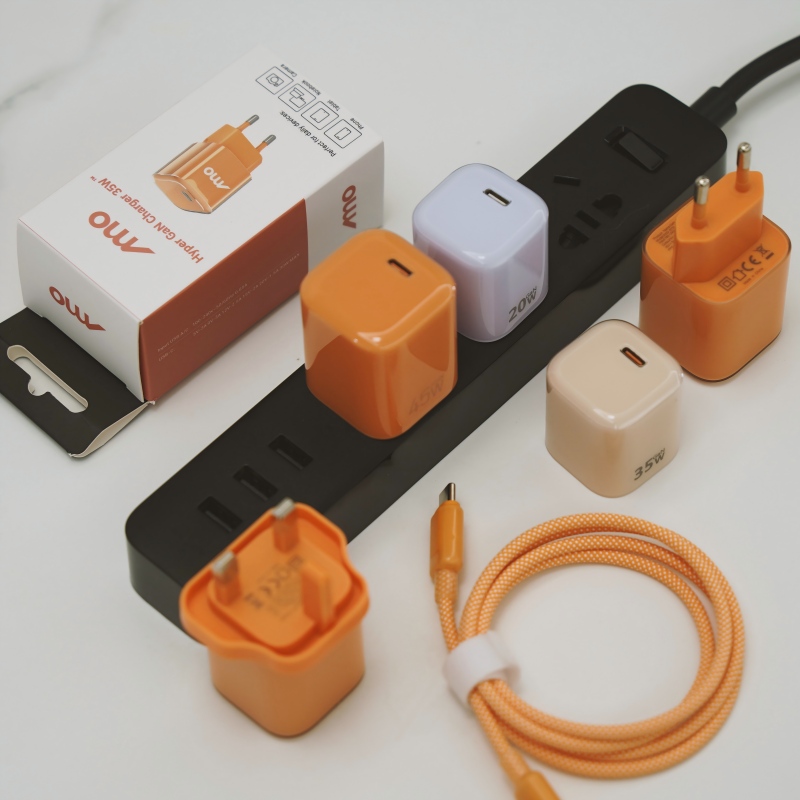
The soft-touch coating on my charger looks dirty and a bit sticky. How should I clean it safely?
Short answer: Unplug it first, then wipe with a soft cloth lightly dampened with water and a drop of mild soap. Dry it fully before plugging in. Avoid alcohol, solvents, abrasive pads and harsh sprays, because they can strip or damage the coating. A coating that stays sticky after cleaning is ageing, and the charger may need replacing.
Why soft-touch finishes need care
Soft-touch and silicone finishes feel pleasant but are sensitive. They pick up oil from hands, dirt and dyes from clothes, and some coatings break down with cleaners or with age.
Safe cleaning steps
- Unplug the charger and disconnect cables. Let it cool.
- Wipe with a dry soft cloth to remove dust.
- Use a barely damp cloth with water and a very small amount of mild soap for marks.
- Do not let liquid get into the plug, port or seams.
- Dry with a clean cloth and leave it for a few minutes before plugging in.
- For stubborn marks, use a soft cloth and repeat gently, rather than scrubbing hard.
What to avoid
- Alcohol and solvents, which can dissolve or dull the coating and make it sticky.
- Bleach and strong cleaners.
- Abrasive sponges or powders.
- Spraying liquid directly onto the charger.
- Soaking or washing under a tap.
- Heat from hairdryers to speed up drying.
Sticky surface
A soft-touch coating can turn tacky over time, especially with heat and sweat. Cleaning may help a little. If the surface remains sticky or peels, the coating is breaking down. This is a cosmetic problem, but check for cracks in the case.
Stains from clothes
Dark dyes, such as from jeans, can transfer to light-coloured finishes. Wipe soon after, since old stains may be permanent.
Storage
Keep chargers away from direct sun and hot places. Do not store them wrapped tightly with other soft items for long.
For brands
Test the finish against hand oils, sweat, common cleaners and abrasion, and give clear cleaning instructions in the manual or on the product page.
Quick summary
Unplug, wipe gently with a damp cloth and mild soap, dry fully and avoid solvents.
Quick routine
Once a month, wipe the charger with a dry cloth, and clean marks as soon as you see them. Regular light cleaning avoids the need for stronger methods later. Keep cleaning cloths separate from those used on shoes or kitchen surfaces.
Where this answer says to confirm with Wecent, the detail is not published on the product page and has to come from the datasheet or the factory. General facts come from the regulators, standards bodies or device makers named in the text.
Three more perspectives
Products discussed in this thread
Related articles & topics
Have a sourcing question about your own programme?
Ask our team More Care, cleaning & lifecycle questions