
Talk · Maintenance · Care, cleaning & lifecycle
How should LED-lit wireless chargers be maintained?
Clean the light diffuser and charging surface gently when unplugged, keep the charger away from sun and heat, check that lighting modes behave as expected, and report flicker together with heat or charging problems.
 Wecent Editorial Team
Updated
2 min read
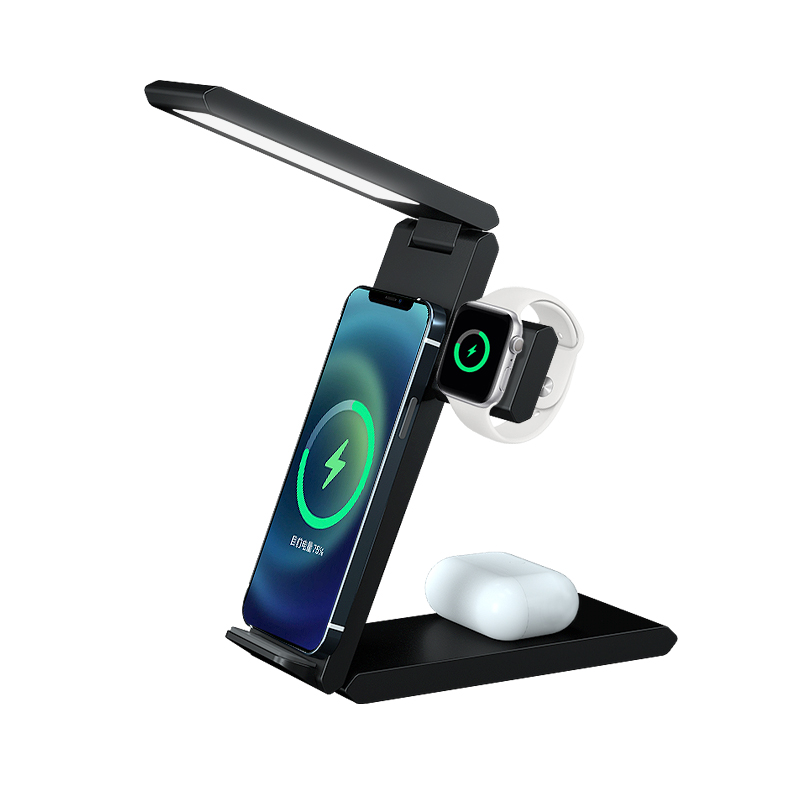
Our RGB ambient-light wireless chargers are popular with gamers. What maintenance advice should come with them?
Short answer: Unplug before cleaning. Wipe the charging surface and light diffuser with a dry microfibre cloth; avoid solvents that can cloud or scratch clear plastics. Keep the charger out of direct sunlight, which can yellow diffusers over time. Use the recommended adapter, because a weak supply can cause dim or unstable lighting. Learn the light modes from the manual so normal mode changes aren’t mistaken for faults.
Cleaning the diffuser
Light diffusers are usually clear or frosted plastic. They show fingerprints and dust easily. A dry microfibre cloth removes most marks. For stubborn marks, use a barely damp cloth and let it dry fully. Avoid alcohol, glass cleaner and abrasive cloths, which can cloud or scratch the surface and change how light spreads.
Sunlight and heat
UV light and heat can yellow some plastics over time, which changes the colour of the lighting. Keep the charger away from windows and heat sources. That also helps the charger stay cool while charging.
Power supply
LED lighting and wireless charging share the input power. A weak or unstable adapter may cause dimming, flicker or reduced charging. Use the adapter recommended in the manual and a good USB-C cable.
Light modes
Many RGB chargers have several modes: colour cycles, breathing effects, charging status colours, or lights off. Some change colour to show charging status. Users unfamiliar with the modes may think a colour change is a fault. Keep the mode guide with the product.
Night use
If used in a bedroom, set a dim mode or switch lights off where the model allows.
Checks
- Lighting evenness: dark segments may indicate an LED fault.
- Flicker: brief flicker when a device is placed may be normal; continuous flicker isn’t.
- Heat: lighting should not make the charger hot.
- Charging still works normally.
When to report
Report continuous flicker, dead LED segments, or lighting problems together with heat or charging failure, with the model and batch code. Lighting problems alone are rarely a safety issue, but heat or smell is.
Storage
Store in the box away from sunlight to protect the diffuser. Don’t stack heavy items on top.
Confirm with Wecent the light modes and controls of each lit model before writing customer instructions.
Where this answer says confirm with Wecent, the detail is not published on the product page and has to come from the datasheet or the factory. General facts come from the standards bodies, regulators or device makers named in the text.
Three more perspectives
Products discussed in this thread
Related articles & topics
Have a sourcing question about your own programme?
Ask our team More Care, cleaning & lifecycle questions