
Talk · Maintenance · Care, cleaning & lifecycle
How should we clean a GaN charger’s pins and USB-C ports safely?
Unplug first, keep it dry, and use non-metal tools. Most port problems come from lint and debris, and most pin problems come from dirt or bent pins.
 Wecent Editorial Team
Updated
3 min read
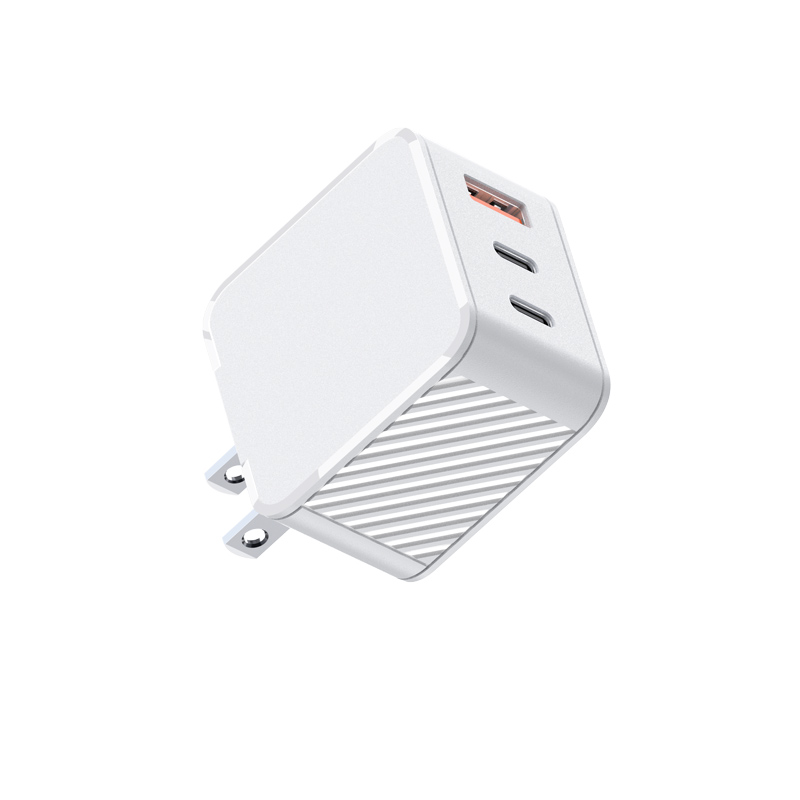
Our IT team issues travel chargers to staff, and returned units often have lint in the USB-C ports and dirty plug pins. What is a safe way to clean them before reissuing, and when should a unit be retired?
Short answer: Unplug the charger and let it cool. Clean the outside and pins with a dry or barely damp lint-free cloth. Clear the ports with a puff of air or a non-metal tool such as a wooden toothpick. Never use liquid inside the ports, and never use metal tools. Retire units with bent or discoloured pins, cracks, or ports that stay loose after cleaning.
Before you start
A charger is mains equipment. Always unplug it before cleaning, never clean it while connected, and let it dry completely before plugging it in again if any moisture was used on the outside.
Plug pins
- Wipe with a dry lint-free cloth. For sticky residue, use a cloth that is only slightly damp with isopropyl alcohol on the pins, keep it away from the seams, and let it dry fully.
- Check the pins for discoloration or pitting, which can point to poor contact in a socket and overheating.
- Check for bent or loose pins. Never straighten pins and put the unit back into service; retire it.
- For interchangeable plug heads, also check the contacts between the head and the body, and that the head locks firmly.
USB-C and USB-A ports
- Look inside with a torch. Lint packs into the back of the port and stops the cable from seating fully.
- Use short puffs of air, or carefully scrape with a wooden or plastic pick. Don’t press on the centre tongue of a USB-C port.
- Don’t use metal pins, paper clips or liquids inside the port.
- After cleaning, plug in a known-good cable and check that it clicks in and charges a test device.
When to retire a charger
- Cracked or deformed housing, or burn marks anywhere.
- Pins bent, loose or discoloured.
- Ports that are loose or intermittent even with a good cable.
- Smell, abnormal noise or heat during the test charge.
Record it
Log the serial or batch code, the date cleaned and the result. A pattern of the same failure in one batch is worth reporting to the supplier, because it may point to a component or assembly issue rather than wear.
These are general practices. For any model-specific cleaning instructions, follow the manual or confirm with Wecent.
Where this answer says confirm with Wecent, the detail is not published on the product page and has to come from the datasheet or the factory. General facts come from the standards bodies, regulators or device makers named in the text.
Three more perspectives
Products discussed in this thread


Related articles & topics
Have a sourcing question about your own programme?
Ask our team More Care, cleaning & lifecycle questions