
Talk · Troubleshooting · Heat, noise & safety signs
Why does my phone get hot while charging and playing a game?
Two heat sources add together: the game makes the processor and screen work hard, and charging makes the battery and charging circuit warm.
 Wecent Editorial Team
Updated
3 min read
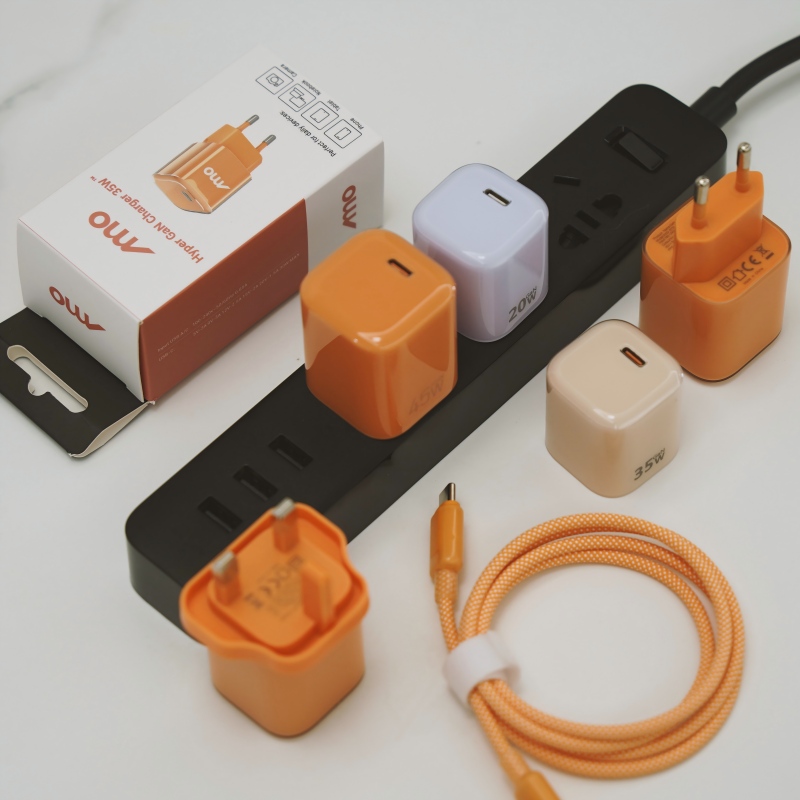
My phone becomes very hot when I play a game while it is charging. Is this dangerous, and how can I stop it?
Short answer: Two heat sources add together: the game makes the processor and screen work hard, and charging makes the battery and charging circuit warm. Together they can push the phone hot enough to slow down or show a warning. It is usually not dangerous if the phone protects itself, but you should stop and cool it if it is too hot to hold.
Why it gets hot
A demanding game uses the processor, the graphics chip, the screen and the radios at full effort. All of that makes heat. Charging adds heat from the battery and the charging circuit. Fast charging adds more. Together the phone has less room to cool down.
What the phone does
Phones monitor their temperature. When it rises, they reduce screen brightness, slow the processor, lower the charging speed or stop charging. The game may run less smoothly, or a warning may appear. These are protective actions.
What to do
- Stop charging or stop playing for a while. Doing one at a time is the best fix.
- Take the case off to let heat escape.
- Move out of direct sun, and away from a hot car or a pillow.
- Lower the screen brightness and graphics quality.
- Use a slower charger, or a lower charging speed setting, when you play.
- Place the phone on a hard surface or use a stand with airflow.
Warning signs
- A warning that the phone must cool down.
- A shutdown.
- A swollen back, a bulging screen or a gap in the case.
- A burning smell.
- Very hot cable or charger.
If you see any of these, unplug the phone and stop using it. Take it to a repair shop if it is swollen.
Longer term
Heat shortens battery life. Playing while charging often can age the battery faster. Charge before you play, and play on battery when possible.
Cooling accessories
Clip-on coolers exist, but a case-off, shaded, hard-surface set-up costs nothing and helps a lot.
Quick summary
Charging and gaming together is a double heat load. Separate them, cool the phone and stop if it is too hot.
A quick test
Play the same game for twenty minutes on battery and then for twenty minutes while charging, with the case off both times. Compare how hot the phone gets. If it is much hotter while charging, avoid that combination, or use a slower charger when you play.
Where this answer says to confirm with Wecent, the detail is not published on the product page and has to come from the datasheet or the factory. General facts come from the regulators, standards bodies or device makers named in the text.
Three more perspectives
Products discussed in this thread

Related articles & topics
Have a sourcing question about your own programme?
Ask our team More Heat, noise & safety signs questions