
Talk · Purchasing · Channels & supplier management
What should an OEM agreement say about display-text changes on smart-screen chargers?
Treat display text as part of the product.
 Wecent Editorial Team
Updated
3 min read
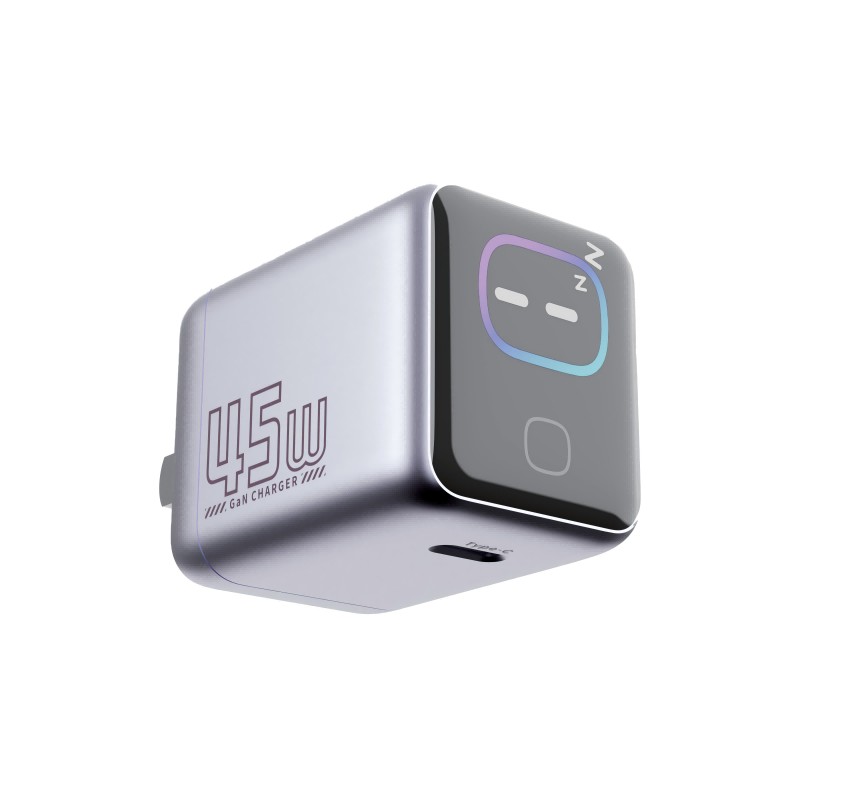
Our smart charger shows text on a screen. What should the OEM agreement say about changing that text later, such as fixing a typo or adding a language?
Short answer: Treat display text as part of the product. The agreement should say who owns the wording, who approves changes, how a change is released as firmware, who pays, how many units are affected and how the factory records the version. Small wording changes can trigger certification and labelling questions, so build in a review step.
Why display text needs a clause
Text on a screen is delivered by software. A change means new firmware, and firmware changes affect testing, stock and support. Without a clause, the factory may change wording on its own, or charge unpredictable fees.
Points the agreement should cover
- Ownership. The brand owns the text, translations and any graphics.
- Approval. Written approval by a named person before any text changes.
- Languages. Which languages are included, who translates and who checks them.
- Release process. How a new version is produced, tested and released.
- Cut-over. From which production lot the new version applies, and what happens to existing stock.
- Cost. Fixed fees or hourly rates for text changes and testing.
- Lead time. How quickly a change can be made.
- Records. The factory keeps each version, its date and which lots used it.
- Warranty. The factory is responsible for software errors it introduces.
Regulatory text
Some text on a product, such as safety warnings or markings required by law, must stay correct. Do not let a text change remove or alter required information. Have your compliance contact review any change that touches warnings.
Bilingual needs
If you sell in Canada, product text may need to be available in both English and French in some cases. Plan the screen space for longer French wording.
Version control
Give each firmware release a number, show it in a settings screen if possible, and keep the numbers in your support system.
Quick summary
Write who approves, how changes are released, what they cost and how versions are recorded, and review any change to warnings.
A practical tip
Keep all screen text in a single spreadsheet that lists every string, its language, the approved wording, the version and the date. Share it with the factory. When a change is needed, edit the sheet, get approval and send it as the only source. This avoids misunderstandings caused by changes agreed in chat messages.
Where this answer says to confirm with Wecent, the detail is not published on the product page and has to come from the datasheet or the factory. General facts come from the regulators, standards bodies or device makers named in the text.
Three more perspectives
Products discussed in this thread
Related articles & topics
Have a sourcing question about your own programme?
Ask our team More Channels & supplier management questions