
Talk · Selection · Wireless, magnetic & multi-device
Which charger should we pair with a smartwatch magnetic puck?
Most watch pucks need only a few watts, so almost any good USB-C or USB-A charger works. Match the connector, use a low-power or multi-port charger, and follow the watch maker's guidance for fast charging.
 Wecent Editorial Team
Updated
3 min read
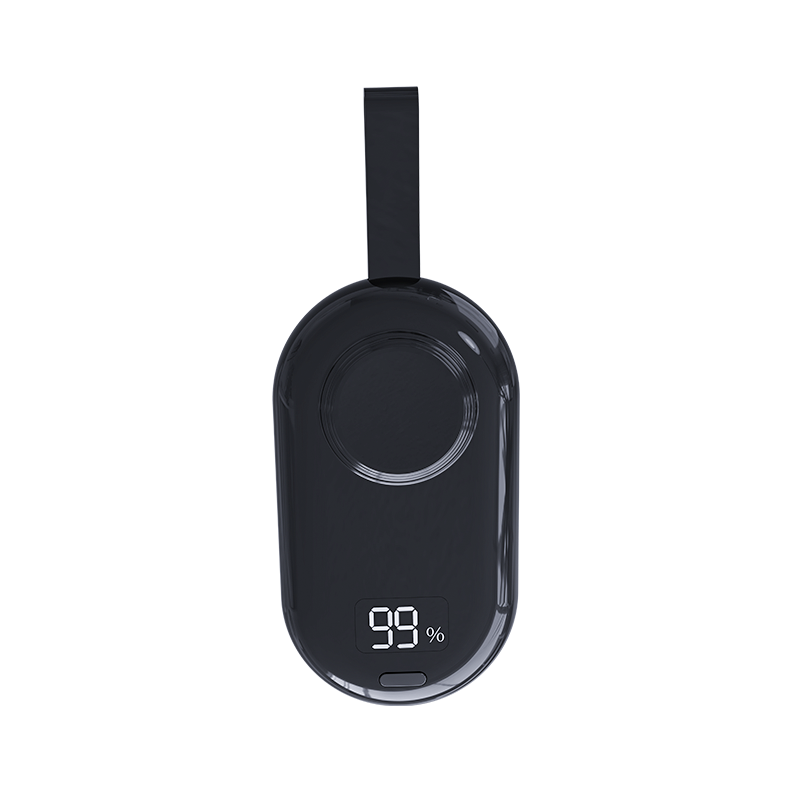
We sell a smartwatch magnetic charging puck. Customers ask which wall charger to use with it. What should we recommend?
Short answer: Smartwatch pucks typically need only a few watts, so a quality 5W–20W USB charger is enough. Match the puck’s connector (USB-C or USB-A). Some newer watches support fast charging, which may need a USB-C PD adapter of a certain wattage; check the watch maker’s guidance. For travel, a multi-port charger can run the puck alongside a phone.
Power needs
Smartwatches have small batteries. Most pucks draw a few watts. Any well-made USB charger can supply this. A higher-wattage charger is fine because the puck only draws what it needs.
Connector
Newer pucks often use USB-C; older ones USB-A. Use a charger with the matching port, or a quality adapter cable. Avoid cheap adapters with loose contacts.
Fast charging on newer watches
Some newer watches support faster charging with specific pucks and USB-C PD adapters. If the watch maker specifies a minimum adapter wattage for fast charging, follow it. Our puck’s fast-charging support depends on its design; confirm with Wecent before advertising it.
Travel combinations
A two- or three-port charger can power the watch puck and a phone together. Use a USB-A port for the puck if it has a USB-A connector, keeping USB-C for the phone.
Computers and power banks
Pucks work from laptop USB ports and most power banks. Some power banks turn off when the load is very low; if charging stops, use a power bank with a low-current mode.
Placement
Place the watch back flat on the puck with the band open. Keep the puck on a stable surface. Remove debris from the puck surface.
Compatibility
Pucks are designed for specific watch families. Check the puck’s compatibility list for the watch model, rather than the charger. Using the wrong puck won’t charge the watch.
Overnight charging
Most watches use optimised charging and may hold at a lower level overnight before finishing in the morning. That’s a watch feature, not a charger problem. If the watch reaches full by morning, the setup is working.
Heat and safety
Pucks get slightly warm in use. Keep the puck on a hard surface, not on bedding, and stop using it if it becomes hot or the cable is damaged.
What to recommend
- Bedside: a small USB-C charger or a multi-port charger shared with a phone.
- Travel: a compact multi-port charger.
- Office: a laptop USB port or desk charger.
Where this answer says confirm with Wecent, the detail is not published on the product page and has to come from the datasheet or the factory. General facts come from the standards bodies, regulators or device makers named in the text.
Three more perspectives
Products discussed in this thread
Related articles & topics
Have a sourcing question about your own programme?
Ask our team More Wireless, magnetic & multi-device questions