
Talk · Troubleshooting · Wireless & magnetic faults
Why does a phone vibrate off the wireless stand?
Notification vibrations can slowly walk a phone off a non-magnetic stand or pad. Charging then stops. Magnetic alignment, a grippy surface, a lower vibration setting or Do Not Disturb at night solve most cases.
 Wecent Editorial Team
Updated
2 min read
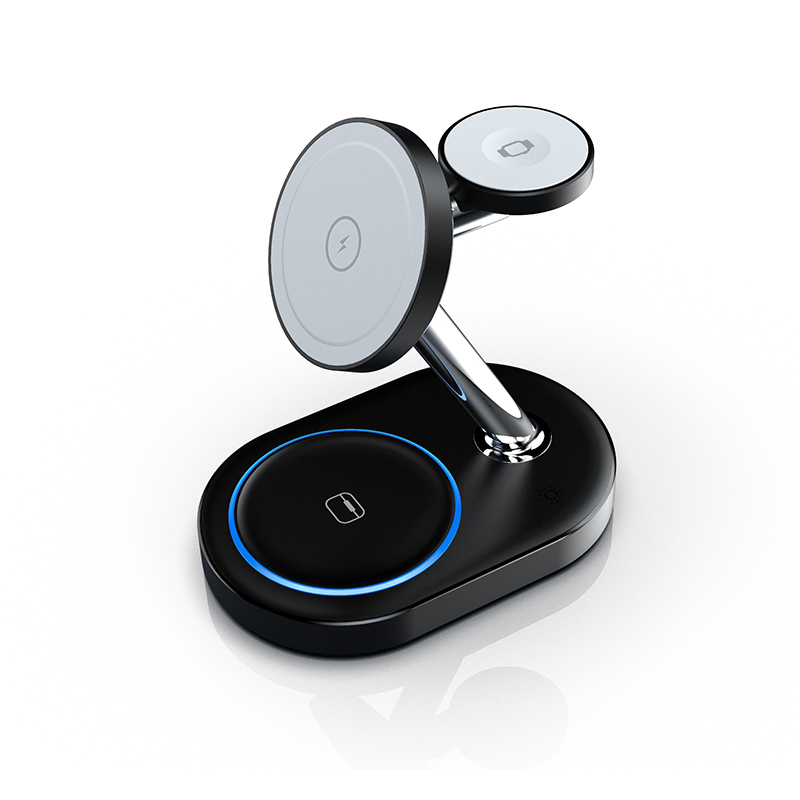
Customers say they wake up to find their phone not charged because it vibrated off the stand overnight. How do we prevent this?
Short answer: Vibrations from notifications and alarms can move a phone off the coil, especially on smooth pads or angled stands without magnets. Use magnetic alignment where the phone supports it, a stand with a ledge or grippy surface, and a case that isn’t slippery. Turning on Do Not Disturb or a sleep focus overnight reduces vibrations. Once the phone moves off the coil, charging stops, so a small movement is enough.
Why it happens
Phones vibrate for notifications. On a smooth surface, repeated vibrations move the phone gradually. A small shift moves the phone’s coil away from the charger’s coil, and charging stops or becomes intermittent.
Fixes in the product
- Magnetic alignment: MagSafe-compatible or Qi2 magnetic chargers hold supported phones in place.
- Stand ledge: a ledge that supports the phone’s bottom edge.
- Grippy surface: silicone or rubber pads reduce sliding.
- Wider coil area: some designs tolerate more movement.
Fixes for users
- Turn on Do Not Disturb or a sleep focus at night.
- Reduce vibration intensity in settings.
- Use a case with a grippy back rather than a slippery one.
- Check the phone is centred and resting on the ledge.
- For phones without magnets, consider a magnetic case if the charger is magnetic.
Angled stands
On steep stands, gravity helps the phone stay on the ledge but vibration can still move it sideways. A ledge with side guides or magnetic hold works better.
Cases and accessories
Slippery hard cases slide more easily. Cases with textured or silicone backs grip better. Magnetic cases help on magnetic chargers. PopSockets and ring holders lift the phone and can make it unstable.
Surfaces
Glass and polished bedside tables let chargers themselves slide. Anti-slip feet on the charger base help keep the whole unit in place.
Explaining to customers
“Vibrations can move your phone off the charging area. Enable Do Not Disturb at night or use a magnetic case to keep it in place.”
When it’s not vibration
If the phone stays in place but charging stops, check for optimised charging, heat, case thickness or adapter issues. See our other troubleshooting topics.
Selection tip
For bedside products, magnetic or ledge designs reduce these complaints. Confirm with Wecent which models include magnets or anti-slip surfaces.
Where this answer says confirm with Wecent, the detail is not published on the product page and has to come from the datasheet or the factory. General facts come from the standards bodies, regulators or device makers named in the text.
Three more perspectives
Products discussed in this thread


Related articles & topics
Have a sourcing question about your own programme?
Ask our team More Wireless & magnetic faults questions