
Talk · Troubleshooting · Wireless & magnetic faults
Why does a wireless charger’s indicator light blink?
A blinking light usually signals a condition the charger has detected: foreign object, misalignment, insufficient input power or overheating. The manual decodes the pattern.
 Wecent Editorial Team
Updated
3 min read
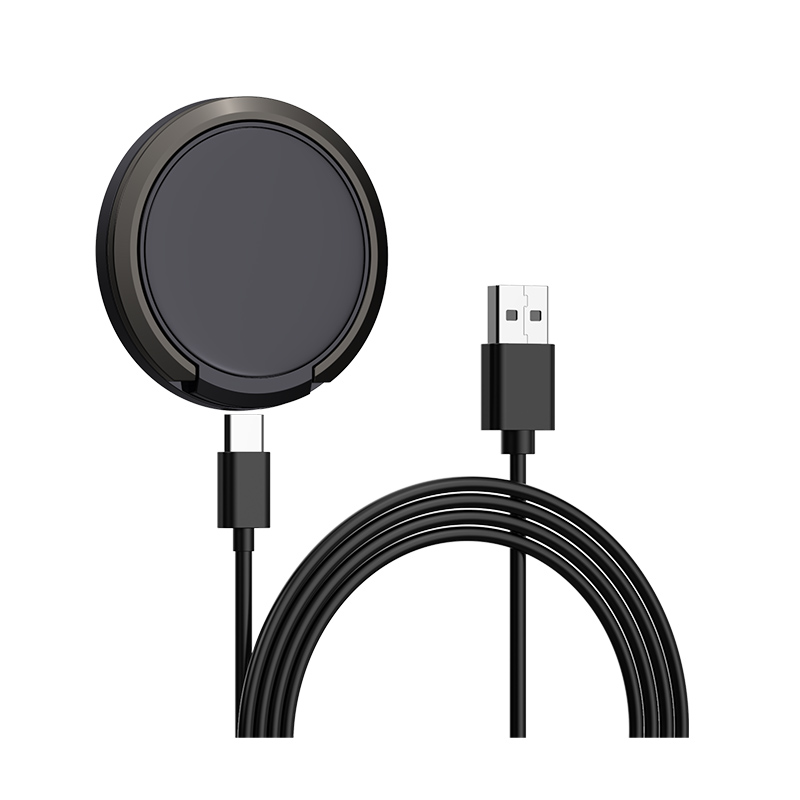
Customers ask why the light on our 15W magnetic wireless charger (C12 type) blinks instead of staying on. Some think it’s broken. What does it mean?
Short answer: On most wireless chargers a blinking light means the charger has detected a problem and stopped or limited charging. Common causes are a metal object or card on the pad, a phone that isn’t aligned, an adapter that is too weak, or heat. The exact meaning depends on the model, so check the manual or confirm with Wecent.
Common meanings
- Foreign object detected: coins, keys, cards, metal ring holders or metal plates in cases can heat up in the magnetic field. Chargers use foreign object detection to stop charging when they sense them.
- Misalignment: the phone coil isn’t over the charger coil, so the charger can’t establish a stable link.
- Input power too low: the adapter can’t supply what the charger needs, for example an old 5W adapter on a 15W pad.
- Over-temperature: the charger or phone got too warm, and charging pauses.
- Incompatible device: a phone or accessory that doesn’t support Qi.
Fixing it, step by step
- Remove the phone and any objects; check for metal in the case.
- Place the phone again, centred.
- Check the adapter against the charger’s input requirement.
- Let the charger and phone cool if warm.
- Unplug the charger for a few seconds and plug it in again.
Why patterns differ between models
There’s no universal light code. One model may blink blue for a foreign object and red for low input; another may use a single LED with different rhythms. Use the manual’s table, and if your manual doesn’t have one, ask Wecent for it before you sell the product.
When it’s a fault
If the light keeps blinking with nothing on the pad, the correct adapter and a cool room, or the charger blinks with every phone, the unit may be faulty. Note the batch code and the blink pattern, ideally as a short video, and start a return.
Lights at night
Some users complain that a steady or blinking light disturbs sleep. If the model has a dimmable or switch-off option, mention it in the manual. If not, tell bedside buyers before they order.
Put the code where users see it
A small light-code table on the back of the box or on a card in the box saves many support emails. Users usually don’t keep manuals.
Where this answer says confirm with Wecent, the detail is not published on the product page and has to come from the datasheet or the factory. General facts come from the standards bodies, regulators or device makers named in the text.
Three more perspectives
Products discussed in this thread
Related articles & topics
Have a sourcing question about your own programme?
Ask our team More Wireless & magnetic faults questions