
Talk · Selection · Wireless, magnetic & multi-device
What does a 5-in-1 wireless charging station add over a 3-in-1?
A 5-in-1 usually adds wired USB ports or extra pads, so it can charge more devices from one socket. It needs more input power, more desk space and careful port planning. It suits shared desks, families and heavy device users.
 Wecent Editorial Team
Updated
2 min read
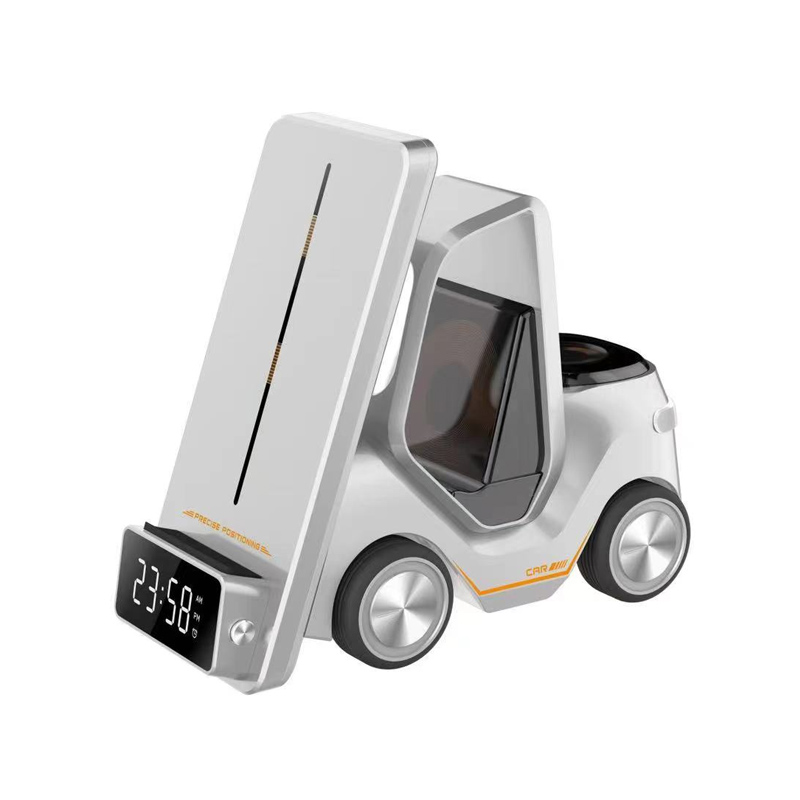
We have a 3-in-1 wireless stand in our range. Should we add a 5-in-1 station, and who would buy it?
Short answer: A 5-in-1 station typically combines wireless pads for a phone, watch and earbuds with extra wired ports or an additional pad, so users can charge a tablet or second phone too. It suits families, shared desks and users with many devices. It needs a stronger power input, takes more space, and power is shared, so per-device speed may drop when everything is connected. Check the exact configuration of each model.
What the extra two usually are
“5-in-1” isn’t a standard term. Some stations add two USB ports to a 3-in-1 design; others add a second phone pad or a tablet stand. Check exactly which devices can charge at once and how. Compare models by their device list rather than the number in the name.
Power input
More devices mean more power. A 5-in-1 may need a higher-wattage adapter or have its own mains input. With a weak adapter, the station may reduce output or turn some outputs off. Confirm the required adapter and whether it’s included.
Power sharing
The station has a total budget. When all five devices charge, each gets less than when used alone. That’s fine for overnight charging, but users expecting fast charging on every device may be disappointed. Clear information on combined outputs prevents this.
Space and placement
5-in-1 stations take more desk or counter space. Check the footprint and cable routing. They suit kitchen counters, family hubs and shared desks better than small bedside tables.
Who buys a 5-in-1
- Families with several phones and earbuds.
- Users with a phone, watch, earbuds and a tablet.
- Small offices or reception areas.
- Gift buyers looking for an all-in-one product.
Who should stick with a 3-in-1
Single users with an iPhone, Apple Watch and AirPods are well served by a 3-in-1. It’s smaller, simpler and usually cheaper.
Range strategy
Offering both lets you cover single users and families. Keep the 3-in-1 as the main product and the 5-in-1 as an upsell. Watch return rates: complex products generate more questions.
What to confirm with Wecent
Device list, outputs alone and combined, input requirement, watch module compatibility, and footprint for each multi-device station.
Where this answer says confirm with Wecent, the detail is not published on the product page and has to come from the datasheet or the factory. General facts come from the standards bodies, regulators or device makers named in the text.
Three more perspectives
Products discussed in this thread
Related articles & topics
Have a sourcing question about your own programme?
Ask our team More Wireless, magnetic & multi-device questions