
Wireless Desk Charger
A desk charger is judged on four things the datasheet never mentions: how much desk it takes, where the cable goes, how warm it runs by hour three, and how many devices it has to feed. Here is how to choose between the formats.
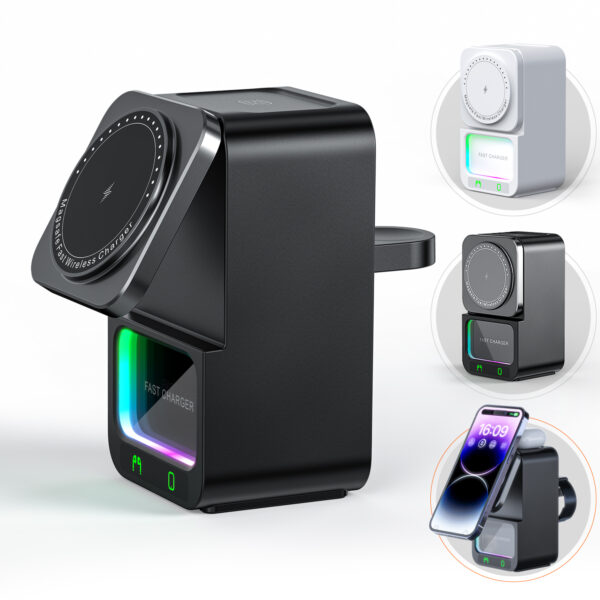
A wireless desk charger should be chosen on footprint, cable routing, sustained heat and device count — not on the wattage label. A stand suits a phone that keeps working, a pad suits a phone that goes away, and a station suits several devices at once. WECENT builds all three from 200 pcs per model.
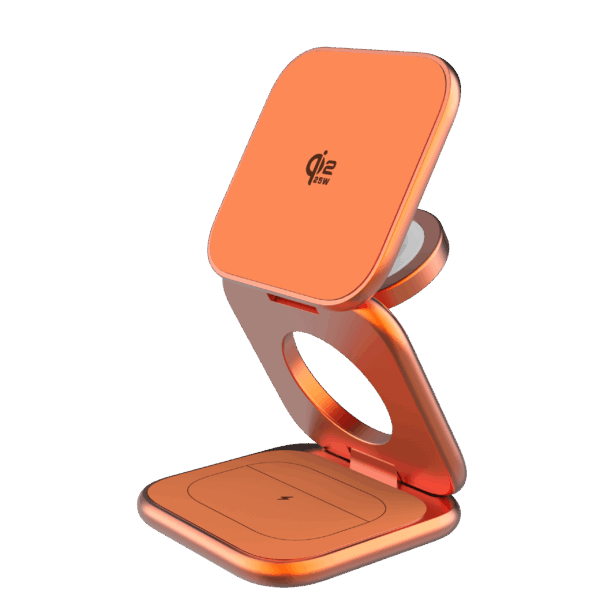
The four questions that decide a desk charger
On a desk, a charger is competing for space with everything else, and it is running for eight hours rather than twenty minutes. Those two facts change the specification. Sustained heat matters more than peak rate, because a unit that holds a rate for three hours is a different design from one that hits it for ten minutes. Footprint matters more than aesthetics, because the base has to sit somewhere and the cable has to leave it without dragging across the keyboard.
The questions worth answering before choosing a format are therefore: does the phone need to stay usable while it charges, how many devices are on the desk, how much surface can the charger take, and where does the cable go. Everything else — colour, logo, material — follows from those.
- Does the phone keep working? If yes, a stand. If it goes away, a pad is cheaper and smaller.
- How many devices? One person’s phone, watch and earbuds is a 3-in-1 station. A shared desk is a larger one.
- Where does the cable leave? A base with a rear or side exit sits flat against a wall; one that exits forward does not.
- How long is it on? Eight hours on a desk is a sustained-load question, not a peak-rate question.
Pad, stand or station for a desk?
The three formats share the same coil and power stage, so the desk decision is entirely about how the product is used. A pad disappears under the phone and takes the least desk space. A stand takes more height but keeps the screen readable. A station takes the most footprint and is the only format that removes three cables at once.
| What you are choosing | Pad | Stand / station |
|---|---|---|
| Desk footprint | Smallest — the phone covers it | Larger; the base occupies real space |
| Screen usable | No | Yes — upright on a stand, several devices on a station |
| Cables removed | One | Three or more on a multi-device station |
| Heat at hour three | Easiest to keep cool — the phone is exposed | Shares a thermal envelope between coils |
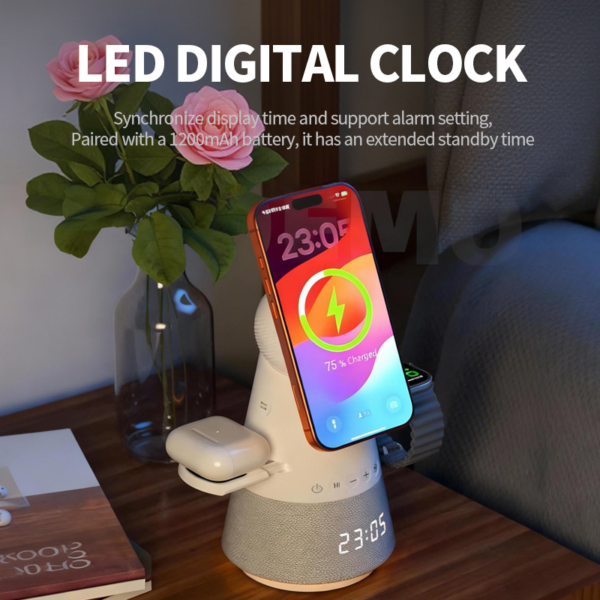
What you can change for an office or desk programme
Everything below is applied on top of a platform that is already tested, which keeps the sample at 2–3 days and the MOQ at 200 pcs per model.
- Format and footprint — compact pad, upright stand, or a multi-device station, sized to the desk it has to fit.
- Colour and finish — neutral corporate finishes as well as your brand colour, on ABS, PC, wood or PU leather.
- Power and cable — the adapter rating and cable exit specified with the unit, or supplied as a bundle.
- Branding — logo on the base or the upright face, plus a box drawn to your corporate artwork.
Wireless desk charger — what gets specified
| Charging standard | Qi2 and MagSafe-compatible 15W platforms; exact profile confirmed per model on the datasheet |
|---|---|
| Formats | Flat pad, upright stand, 3-in-1 to 5-in-1 station |
| Alignment | Magnet array on magnetic models; free-position on non-magnetic pads |
| Desk footprint | Set by the format; the base dimensions are on the model datasheet |
| Cable routing | Rear, side or forward exit depending on model; confirmed at the sample stage |
| Sustained behaviour | Measured over a run rather than at peak — the aging cycle is part of the inspection route |
| Input | USB-C; adapter rating specified with the unit and quoted as a bundle where needed |
| Certifications | CE, RoHS, FCC, UKCA, PSE, KC, SAA and CB reports for a desk charger, depending on the target market |
| MOQ | 200 pcs per model for a branded desk charger; a trial quantity can be split across a few SKUs |
| Samples | 2–3 days with your logo and finish applied to the desk charger |
| Mass production | 7–15 days after sample and artwork approval for the desk charger |
| Carton | 50 pcs per carton as standard for the desk charger, or customised to your requirement |
The rows above describe a standard desk charger. Custom power stages, coil layouts, plugs and packaging are quoted per project, and every figure is confirmed on the datasheet before a sample is built.
Desk formats in production

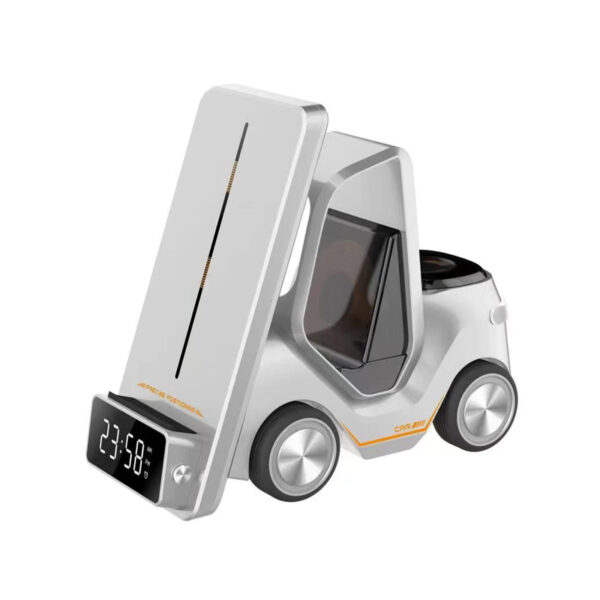
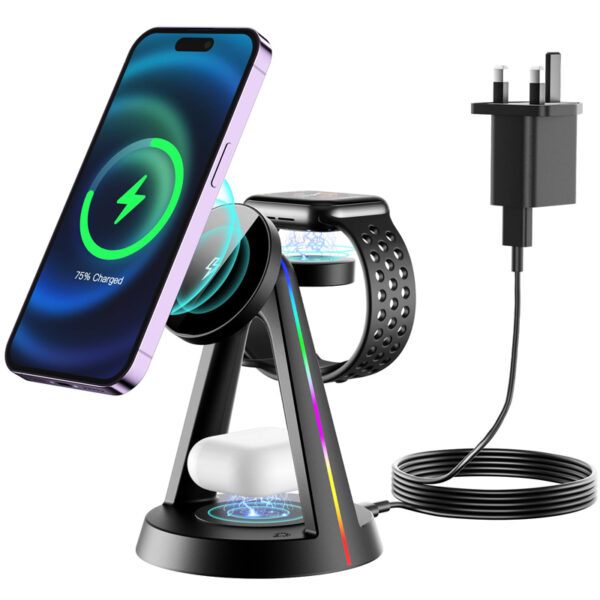
Model A 5-in-1 station
For shared desks and rooms where several devices charge at once.
How a desk charger is built and checked
A desk charger runs for a working day rather than a few minutes, so the aging gate carries more weight here than in any other format — a thermal design problem surfaces there rather than in a peak reading.
Material preparation and checking
The coil, magnet array where fitted, base, grip, cable exit and the adapter are checked against the approved bill of materials before a desk charger enters the line.
First-piece quality confirmation
The first unit of a run is built and checked for desk behaviour as well as charging: base mass, grip and where the cable leaves the housing.
Assembly on static-protected lines
Boards are assembled on static-protected lines to a written operation sheet, with the base and cable routing fitted at their own station.
Visual inspection rounds
Repeat inspections cover coil seating, base mass, grip, cable-exit orientation and the finish of the face that sits on the desk.
Aging under load and electrical testing
Aging runs longer here than on a portable product, because a desk charger is in use for a working day rather than a few minutes, and the units are re-measured afterwards.
Charging and protocol verification
Output voltage and current are measured on the coil over a sustained run, with the adapter that will ship with the unit rather than a laboratory supply.
QA sampling, packing and shipment inspection
Sampling runs before packing, the adapter, cable and box are checked against the approved artwork, and the batch report records the aging data for the run.
Because a desk charger runs for a working day rather than a few minutes, the aging cycle is the gate that matters most — a thermal design problem shows up there, not in a peak-rate measurement.
Where a desk charger gets specified
Hot-desking
One charger per desk that survives a different phone every day — magnetic alignment helps here.
Meeting rooms
A station at the centre of the table instead of a cable per seat.
Home office
A stand that keeps the screen readable next to a monitor.
Reception and counters
A branded pad where the phone belongs face-down and out of the way.
Certifications and what comes with the shipment
The file for a desk charger is assembled from the first sample rather than hunted down before dispatch, so the paperwork matches the market the container is going to.
CE / UKCA
European Union and United Kingdom market access for the finished unit and its power supply.
FCC
United States electromagnetic compliance for the finished unit.
RoHS / REACH
Restricted-substance documentation for the European market.
PSE / KC
Japan and Korea market documentation, quoted with the plug kit.
CB / SAA / GS / ETL
Additional reports quoted where the channel or retailer requires them.
ErP efficiency
Efficiency documentation for the EU external power supply regulation.
Reference standards behind this page: Wireless Power Consortium (Qi / Qi2), EU external power supply regulation (ErP), EU CE marking and the USB Implementers Forum for USB-C and Power Delivery specifications.
Related guides and platforms
Wireless charging stands
The format that keeps the screen readable.
Wireless charging pads
The cheapest, smallest desk format.
Wireless charging stations
When one desk has to charge several devices.
Magnetic wireless chargers
Why alignment decides the real charging rate.
3-in-1 wireless chargers
Phone, watch and earbuds on one board.
Wireless charger applications
Desk, hotel, retail and gift channels.
Wireless desk charger — FAQs
Which format is best for a desk?
It depends on one question: does the phone need to stay usable while it charges? If yes, a stand. If the phone goes away, a pad is cheaper and takes less space. If several devices are on the desk, a station removes the most cables.
Does a desk charger run hot?
It runs for eight hours rather than twenty minutes, so sustained behaviour matters more than peak rate. Units are aged under load during production and re-measured afterwards, which is where a thermal design problem shows up rather than in your warehouse.
How much desk space does each format take?
A pad is the smallest — the phone covers it. A stand adds height and a base. A station takes the most footprint because it holds several devices at once. The base dimensions are on each model’s datasheet.
Can it be powered from the desk’s USB port?
Only if the port can supply the required input. Multi-coil stations generally need their own adapter; the rating is specified with the unit rather than assumed.
Can I brand it for an office rollout?
Yes — logo on the base or the upright face, neutral corporate finishes or your brand colour, and a box drawn to your artwork. Rollouts of a few hundred units are typical.
What is the minimum order?
200 pcs per model for a branded desk charger, and a rollout of a few hundred units across several desks normally splits the trial across two formats — an upright stand and a multi-device station — before committing to one.
How long do samples take?
2–3 days with your logo and finish applied, and mass production 7–15 days after sample and artwork approval.
Which certifications apply?
CE, RoHS, FCC, UKCA, PSE, KC, SAA and CB reports depending on the target market, with ErP efficiency documentation where the unit includes a power supply.
Do you supply the adapter and cable?
Yes — unit-only, with a cable, or with a cable and adapter. Bundling changes the carton configuration, so it is quoted with the packaging.
What is the warranty?
Two years on the platform, with the adapter included where it ships as a set. Because desk units run all day, the complaint that matters is usually thermal, so a claim comes back with the aging data for the batch as well as the suspected cause.
What is the best wireless charger for a desk?
The format the desk can actually accommodate: a pad if the phone belongs out of the way, a stand if the screen has to stay readable next to a monitor, a station if two people or several devices charge in the same place. That choice, not the wattage, decides whether the product gets used.
How can I add wireless charging to my desk?
For a single desk the simplest route is a stand or a pad with its own adapter, positioned so the cable exits toward the back of the desk. For a shared desk or a meeting table, a multi-device station removes the most cables — and magnetic alignment is what keeps it working with a different phone every day.
Is there a wireless charger that can be built into a desk?
Built-in charging means a recessed coil under the surface, which is a furniture-level modification rather than a product. The practical alternative for an office is a low-profile pad or a station that sits permanently on the desk, which can be re-positioned, replaced and branded without touching the furniture.
Wireless desk chargers in more detail — adding charging to a desk Know more Know less
How to add wireless charging to a desk
The straightforward route is a stand or a pad with its own adapter, positioned so the cable exits toward the back of the desk. A magnetic pad removes the placement routine; a stand keeps the screen readable next to a monitor.
For a shared desk or a meeting table, a multi-device station removes the most cables at once. A recessed coil built under the surface is a furniture modification rather than a product, and it cannot be re-positioned or replaced without work.
Desk charger vs charging station
A desk charger is one device per person. A station is several devices on one base, which is what a shared surface needs. The difference matters more for the cable count than for the charging rate, because both can run the same coil and platform.
In an office rollout the station usually wins on support load: one adapter, one cable, one item to replace if it fails.
Cable management and the adapter
A desk charger is judged partly on the cable it adds. Where the cable leaves the base decides whether the unit sits flat against a wall, and the adapter rating decides whether the coils are held at their rated band rather than a lower one.
Both are specified with the unit rather than added afterwards, and both are visible in the first five minutes of use — which is where most desk-charger complaints originate.
Office and hotel rollouts
Rollouts are quoted in a few hundred units, split across two formats so the first order measures how each behaves before the volume is committed. Neutral finishes read better in shared spaces, and the branding is usually limited to the base or the upright face.
Certification is prepared per region rather than per desk, so one file covers the rollout in each market, including the adapter where it ships as a set.
Send your spec, get a costed quotation
Tell us the desk, the devices and how many people share it. You get the format that fits, the adapter it needs and pricing at your rollout quantity, with a branded sample in 2–3 days.
- MOQ from 200 pcs per model, splittable across a few SKUs
- Samples in 2–3 days with your logo and finish applied
- Reply within 24 hours on business days