
Talk · Use · Business & shared deployment
How should a retail store show a working charger demo without damaging stock?
Use dedicated demo units on a powered display, tether cables and chargers securely, and keep sale stock sealed.
 Wecent Editorial Team
Updated
2 min read
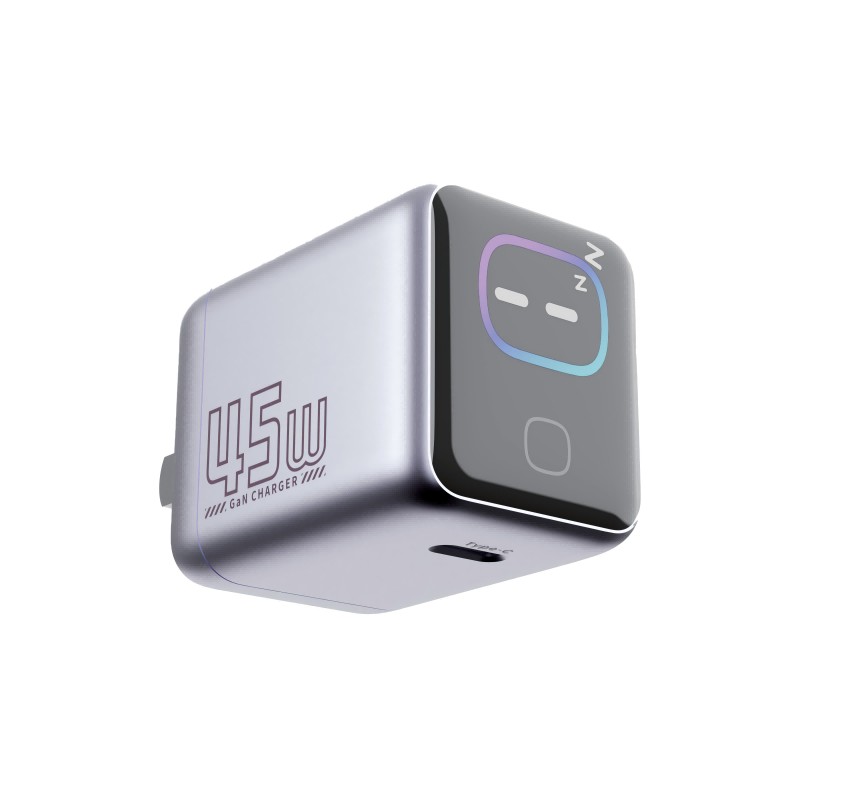
We want customers to see our chargers work in store, but demo units get damaged or stolen. What is a good way to run a demo?
Short answer: Use dedicated demo units on a powered display, tether cables and chargers securely, and keep sale stock sealed. Clean and check the demo weekly, replace it when worn and train staff to point out what each unit does. A good demo is simple, robust and clearly separate from the stock customers buy.
Why demos get damaged
Customers plug and unplug, pull cables, drop products and test with their own devices. Open packs lose parts, and a worn demo gives a poor impression of the product.
Set up a robust demo
- Dedicated units. Mark demo units clearly and keep them separate from sale stock.
- Powered fixture. Provide a stable power source and a display that holds the charger firmly.
- Tethers and locks. Secure the chargers and cables so they cannot be removed.
- Test phone. Provide a demo phone or a dummy load that shows charging in action, if appropriate.
- Clear signs. Explain the speed, ports and what the customer sees.
Keep sale stock safe
Never open retail packs to use as demos. Keep sale stock sealed and in a protected place, ready for the customer to take.
Routine
- Check every demo at opening: does it power on and charge?
- Wipe surfaces with a safe cleaner.
- Look for damaged cables or plugs, and replace them.
- Rotate demo units regularly.
- Record any damage or loss.
Safety
Use equipment with safety marks, avoid daisy-chained power strips and follow the store’s rules for electrical installations. Remove any damaged unit at once.
Staff training
Show staff how to demonstrate each product in thirty seconds, and how to answer common questions about speed, compatibility and warranty.
Budget
Treat demo units as a marketing cost, and plan replacement each season. A fresh, working demo sells more than a worn one.
Quick summary
Dedicated, tethered, powered demos with a weekly check protect stock and sell the product.
Quick example of a demo bay
A small shelf with three powered chargers, each tethered, each with a card showing watts, ports and price, and a live display phone charging on the best seller. Staff check it at opening and closing. A bay like this takes little space and gives customers a clear reason to buy.
Where this answer says to confirm with Wecent, the detail is not published on the product page and has to come from the datasheet or the factory. General facts come from the regulators, standards bodies or device makers named in the text.
Three more perspectives
Products discussed in this thread
Related articles & topics
Have a sourcing question about your own programme?
Ask our team More Business & shared deployment questions