
Talk · Troubleshooting · Charging speed & compatibility
Why does a phone’s charging time double when the charger is a different wattage than the box one?
The phone and the charger agree on a charging speed, and not every charger offers the same options.
 Wecent Editorial Team
Updated
3 min read
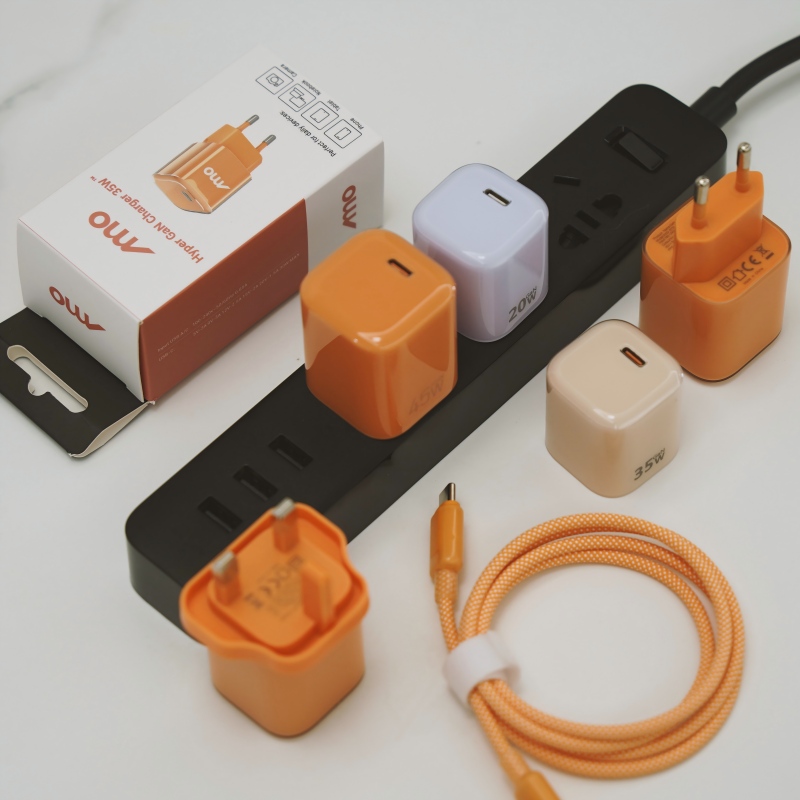
The charger that came with my phone fills it in an hour, but another charger takes two. Both fit. Why the difference?
Short answer: The phone and the charger agree on a charging speed, and not every charger offers the same options. A different wattage, a charger without the phone’s fast-charge protocol, a weak cable or a shared port can cut speed sharply. The box charger is matched to the phone. Check the phone’s supported power and look for a charger that offers it.
The charger and phone negotiate
Modern phones ask the charger what power it can supply and pick the best match. If a charger offers only a standard low-power option, the phone charges at that level, even if it could take more. If the charger supports the phone’s fast-charge method, it charges faster.
Why chargers differ
- Wattage. A lower wattage limits the speed.
- Protocol support. Fast charging uses specific methods. A charger that does not support the phone’s method falls back to a slow mode.
- Voltage steps. Chargers offer different voltage and current combinations. The phone needs one it can use.
- Port sharing. On a multi-port charger, using two ports reduces the power on each.
- Cable. An old or thin cable can limit the current.
- Quality. Cheap chargers may not deliver their stated power.
What to check
- The phone’s maximum charging power and the protocol, in its specifications.
- The charger’s output list on its label: voltage and current combinations.
- The cable’s rating.
- Whether other devices share the charger.
Choosing a charger
- Choose one that lists the phone’s maximum power and supports the same method.
- Pick a cable rated for that power.
- Use recognised, marked chargers.
Test it
Charge from the same low level, with the screen off, for 30 minutes with each charger and compare the percentage gained. A USB power meter shows the actual power.
For brands
List the supported charging modes and the real output on the box and listing. Customers need to know what the charger does with their phone.
Quick summary
Matching the wattage and the protocol, and using a good cable, is what keeps charging fast.
Common real-world case
A person swaps the phone’s own charger for an old tablet charger, and charging takes twice as long. The tablet charger offers a lower power and a different fast-charge method, so the phone falls back to a slow mode. Switching back to the original charger, or buying one that supports the same method, restores the speed.
Where this answer says to confirm with Wecent, the detail is not published on the product page and has to come from the datasheet or the factory. General facts come from the regulators, standards bodies or device makers named in the text.
Three more perspectives
Products discussed in this thread

Related articles & topics
Have a sourcing question about your own programme?
Ask our team More Charging speed & compatibility questions