
Talk · Use · Business & shared deployment
How should a meeting room deploy shared chargers?
Place a multi-port charger at the table centre or under-table power point, provide labelled USB-C cables with suitable ratings, manage cables to avoid trips and pulls, and include the chargers in regular checks.
 Wecent Editorial Team
Updated
2 min read
Our office wants charging available in every meeting room. What’s a good setup?
Short answer: Use a multi-port USB-C charger with enough total power for two or three laptops plus phones, placed centrally or in a table power box. Provide a few labelled USB-C cables (5A for laptop use) and one or two USB-C to Lightning cables if needed. Route cables neatly, secure them to reduce loss, add a small sign explaining ports, and include the setup in regular facilities checks.
Choose the charger
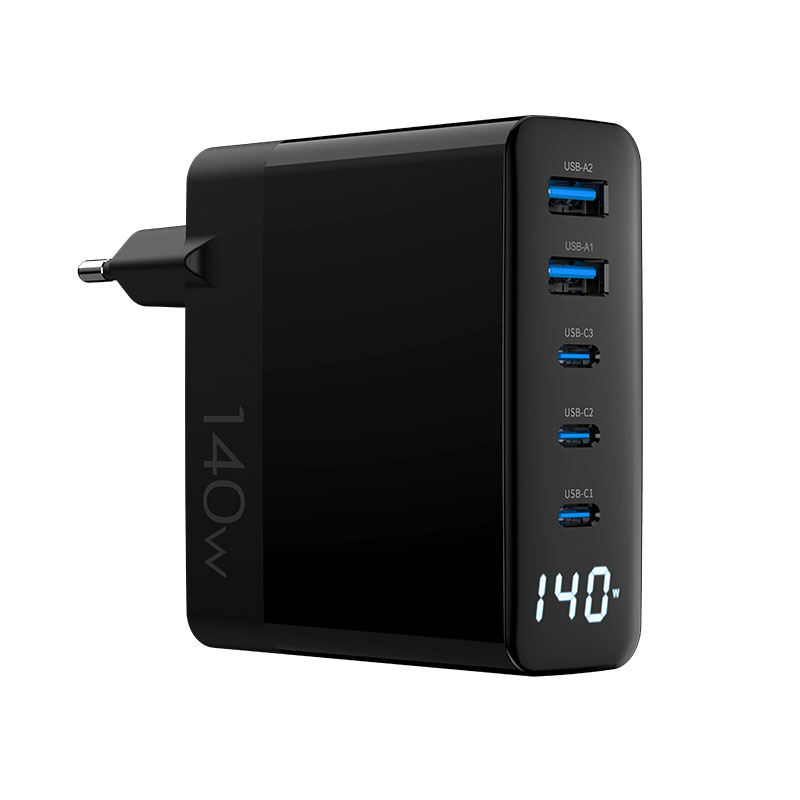
Count typical laptop users per meeting. For two laptops plus phones, a 100W–140W multi-port charger works; for larger rooms, consider two chargers. Check per-port allocation with several devices connected.
Placement
Place chargers where everyone can reach: table centre, table power boxes, or a nearby credenza. Avoid floor placement where chairs roll over cables.
Cables
- USB-C to USB-C, 5A rated, for laptops.
- USB-C to Lightning for older iPhones if your staff use them.
- Lengths of 1.5–2 m to reach seats.
- Labelled, so they stay in the room.
Cable management
Use grommets, clips or cable trays. Neat cables last longer, reduce tripping and make rooms look tidy.
Phones and tablets
Phones and tablets take little power compared with laptops. A meeting room charger mainly needs to keep laptops running during long meetings, while topping up phones.
Signage
A small card: “Laptop: port C1. Phones: other ports. Please leave cables in the room.” Simple guidance reduces misuse.
Security
Cable tethers or secured chargers reduce loss. Labels help returns.
Maintenance
Include chargers and cables in weekly checks: present, undamaged, working. Replace worn cables quickly.
Power supply
Plug chargers directly into wall or table sockets rather than chains of power strips.
Video conferencing
If the room has a conferencing system, keep charging separate from the AV equipment’s power where possible, and avoid running charging cables across AV equipment.
Visitors and guests
Visitors from other companies may bring different devices. A couple of universal cables, such as USB-C to USB-C and USB-C to Lightning, cover most needs. Ask reception to keep spare cables for visitors who need them.
Heat and ventilation
Chargers in closed table boxes can run warm when several laptops charge. Make sure boxes have ventilation and that chargers aren’t wrapped in cable bundles.
Pilot
Pilot one or two rooms, gather feedback, then roll out. Feedback often changes cable lengths and charger positions.
Where this answer says confirm with Wecent, the detail is not published on the product page and has to come from the datasheet or the factory. General facts come from the standards bodies, regulators or device makers named in the text.
Three more perspectives
Products discussed in this thread

Related articles & topics
Have a sourcing question about your own programme?
Ask our team More Business & shared deployment questions