
Talk · Selection · Wireless, magnetic & multi-device
Which wireless charger suits a shared office hot-desk?
Choose a simple, robust pad or magnetic charger that works with most phones, is fixed or easily secured to the desk, runs from a reliable adapter or USB-C port, and is easy to clean. Avoid fragile stands and features that confuse users.
 Wecent Editorial Team
Updated
2 min read
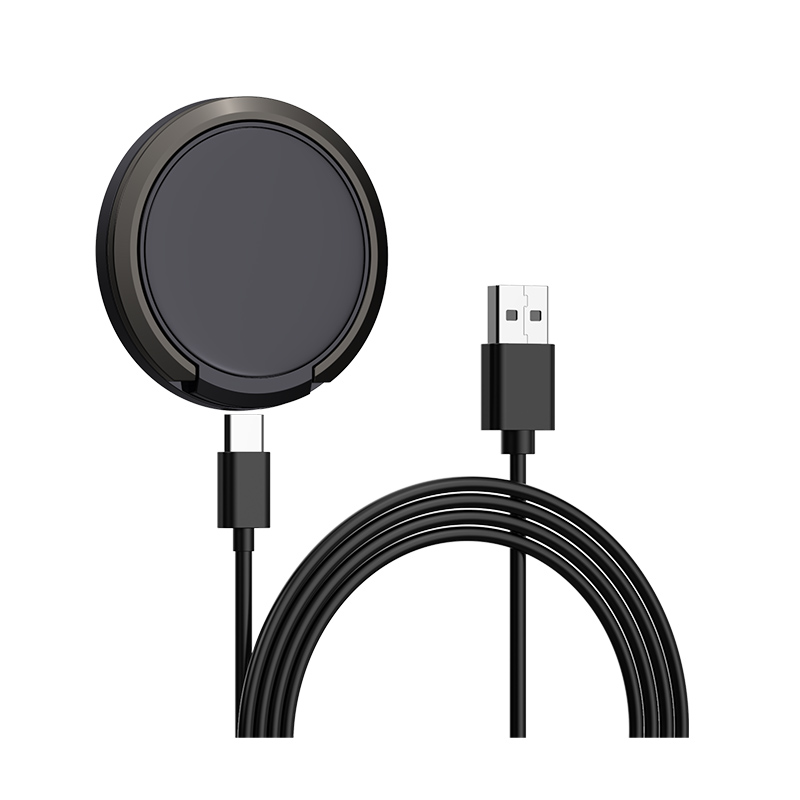
We’re equipping 200 hot-desks with wireless chargers. Staff use a mix of iPhones and Android phones. What should we choose?
Short answer: Pick a flat Qi pad or a magnetic charger with a stable base, compatible with both iPhone and Android phones. Flat pads work with more Android phones; magnetic ones align iPhones best. Power it from a suitable adapter or a desk outlet, manage cables neatly, consider securing the charger to the desk, and plan simple cleaning and checks.
Compatibility
- Flat Qi pads: work with most Qi phones, including Android models without magnets. Alignment depends on users placing the phone correctly.
- Magnetic chargers: align iPhones and Qi2 magnetic phones well; Android phones without magnets won’t be held.
- Mixed fleet: flat pads or magnetic chargers with a stable flat base serve both groups.
Power supply
Wireless chargers need a USB-C power source with enough output. Use a dedicated adapter or a desk power unit with USB-C PD output that meets the charger’s input requirement. Underpowered sources cause slow or unreliable charging.
Durability and security
- Choose a robust design without fragile hinges or arms.
- Consider adhesive pads or mounting to reduce theft and misplacement.
- Manage cables with grommets or clips so they don’t get pulled.
Simplicity
Avoid chargers with complex features, bright lights or displays that confuse users. A simple indicator that shows charging is enough.
Cleaning and maintenance
- Smooth surfaces that are easy to wipe.
- Regular cleaning for debris, especially on magnetic chargers.
- Periodic checks of cables and adapters.
Case compatibility
Thick cases and wallet cases block charging. A short sign at the desk, “Remove thick cases and cards to charge”, helps.
Charging speed expectations
Desk wireless charging is a top-up for the working day, not the fastest option. Tell staff that wireless charging at their desk keeps the phone topped up, and that a cable is faster if they need a quick charge before leaving.
Accessibility and placement
Place chargers in a consistent desk position, away from keyboards and drinks, so users find them easily and spills are less likely.
Pilot first
Pilot a few desks with representative phones. Feedback on placement, speed and reliability guides the final choice.
Our products
Confirm with Wecent the input requirements, output and compatibility of each model, and whether volume pricing is available for 200 units.
Where this answer says confirm with Wecent, the detail is not published on the product page and has to come from the datasheet or the factory. General facts come from the standards bodies, regulators or device makers named in the text.
Three more perspectives
Products discussed in this thread
Related articles & topics
Have a sourcing question about your own programme?
Ask our team More Wireless, magnetic & multi-device questions