
Talk · Purchasing · Channels & supplier management
Should a hotel buy wall chargers or wireless pads for guest rooms?
Wall chargers with USB-C work for nearly every guest device. Wireless pads are convenient but only suit wireless-capable phones without bulky cases. Many hotels pair both.
 Wecent Editorial Team
Updated
3 min read
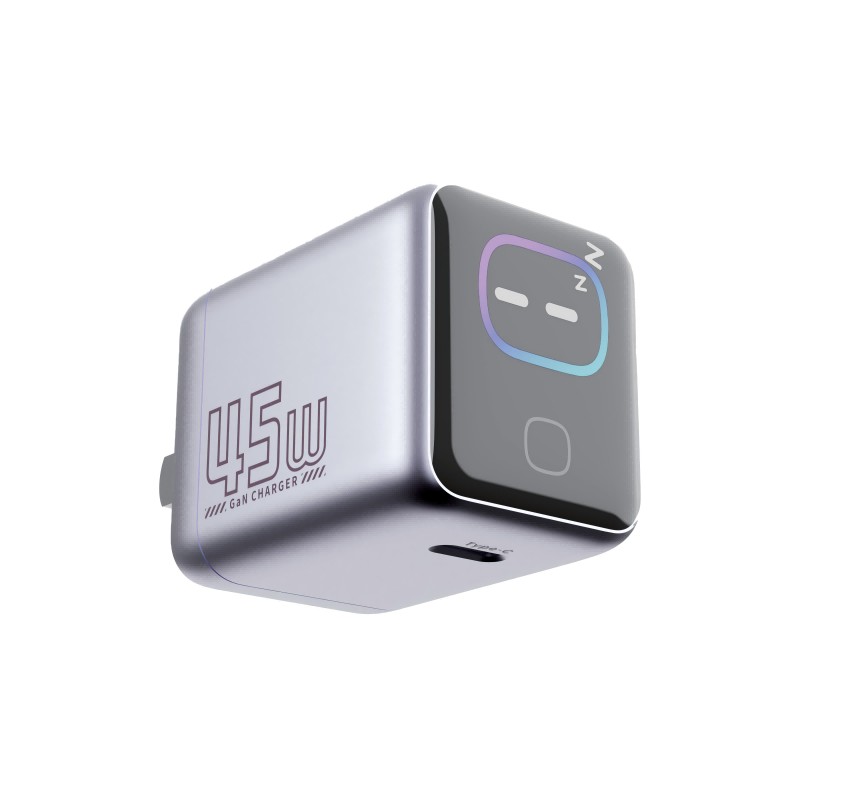
A hotel group is refurbishing 300 rooms and wants charging at each bedside. They’re choosing between a USB-C wall charger like the WEX45Pro and a wireless charger with a clock like the YZ-6B. Which works better for guests?
Short answer: A USB-C wall charger covers more guests, because almost every phone, tablet and laptop charges over USB-C or USB-A with the guest’s own cable. A wireless pad needs no cable but only works for wireless-capable phones, and often not through wallet or thick cases. If budget allows, the strongest setup is both: a wall charger for any device and a wireless pad or clock charger for convenience.
Coverage
- USB-C wall charger: phones, tablets, laptops, earbuds, watches, as long as the guest has a cable. A USB-A port helps guests with older cables.
- Wireless pad: only phones and earbuds that support Qi or MagSafe. Not all guest phones do, and cases, cards and alignment cause problems.
Cables
Guests often forget cables. Some hotels provide a short attached cable, but cables wear, go missing, and need the right connector. Wireless avoids the cable question for compatible phones.
Theft and loss
Small plug-in chargers are easy to take. Furniture-mounted units or a bedside clock charger are harder to remove. Plan a replacement stock either way.
Cleaning and inspection
Both need housekeeping checks: no cracks, no loose plugs, working on a test phone. Wireless pads also need debris removal and gentle cleaning of the surface.
Night-time comfort
Displays and indicator lights at the bedside can disturb sleep. Check brightness, dimming and switch-off options for both the smart-screen charger and the clock charger before buying.
Running cost
Both draw very little power when idle. EU Ecodesign rules cap the no-load power of external power supplies. A wireless pad uses its adapter’s idle power plus its own standby. Ask for the declared values for each option.
A practical recommendation
- Install a USB-C wall charger, or a socket with USB-C, at each bedside.
- Add a wireless pad or clock charger in suites or as an upgrade, if guests use it.
- Put a small card in the room: “Remove cards from your case before wireless charging.”
- Standardise on one or two models across the property for spares and support.
For each model’s exact features, such as display dimming, clock backup and low-current behaviour, confirm with Wecent before ordering.
Where this answer says confirm with Wecent, the detail is not published on the product page and has to come from the datasheet or the factory. General facts come from the standards bodies, regulators or device makers named in the text.
Three more perspectives
Products discussed in this thread
Related articles & topics
Have a sourcing question about your own programme?
Ask our team More Channels & supplier management questions