
Talk · Maintenance · Care, cleaning & lifecycle
How do we check a 3-in-1 stand’s watch puck for wear?
Check that the watch snaps on firmly, the surface is clean and undamaged, the cable or mount isn't strained, and the watch charges reliably. A worn puck shows up as slow or interrupted watch charging.
 Wecent Editorial Team
Updated
3 min read
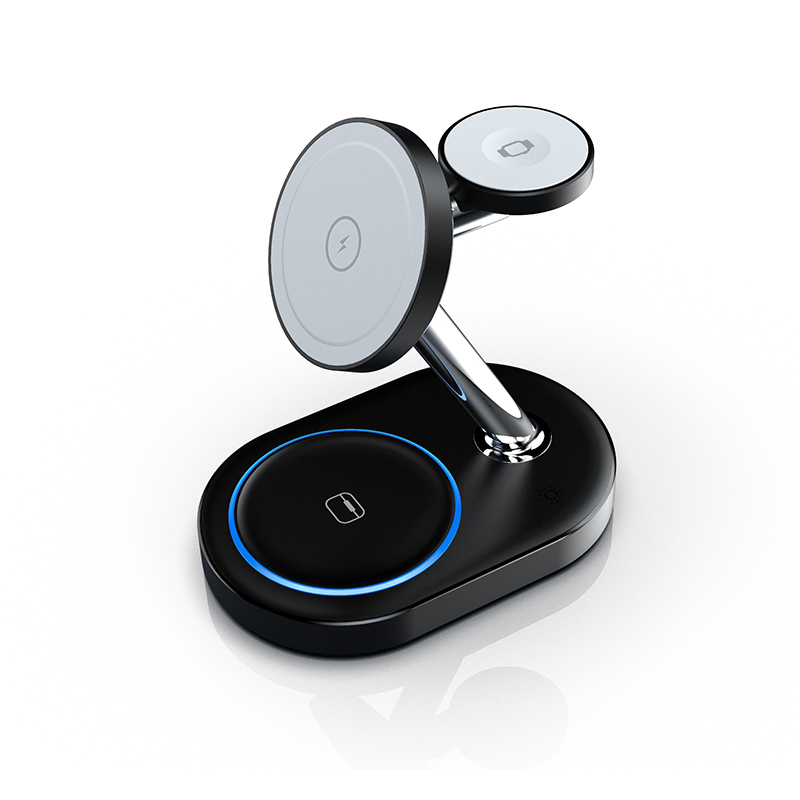
Some users of our 3-in-1 stands say the Apple Watch charges slowly or stops overnight after many months of use. How should they check the watch puck?
Short answer: Check that the watch sits flat and snaps on with a firm magnetic hold, the puck surface is clean, unscratched and free of debris, the mount or arm is not loose, and the watch reports charging reliably. Also check the watch’s own settings and band, since optimised charging and thick bands can look like charger faults.
Physical check
- Surface: clean, smooth, no deep scratches, cracks or debris.
- Magnetic hold: the watch should snap into place and stay centred.
- Mount: the arm or post should be firm, not wobbly.
- Cable: if the puck has a visible cable, check for strain or damage at entry points.
Cleaning
Unplug the stand. Wipe the puck and the back of the watch with a dry microfibre cloth. Remove debris with tape. Avoid liquids and abrasive cleaners.
Charging behaviour
- Place the watch with the band open so the back sits flat.
- Check the charging indicator appears within a few seconds.
- Leave it for 15 minutes and check the battery level rises.
- Test with a second watch if available.
Things that look like puck faults
- Optimised charging: the watch may pause at a level overnight on purpose.
- Bands: thick or closed bands can lift the watch off the puck.
- Cases: watch cases or screen protectors can block contact.
- Power input: a weak adapter may reduce power when the phone also charges.
- Model compatibility: some watch generations or fast charging features need specific puck support.
Signs of real wear
Weak magnetic hold, a loose mount, cracks, intermittent charging when the stand is touched, or heat at the puck. Stop using the stand if the puck is cracked or gets hot.
Watch support and compatibility
Confirm with Wecent which Apple Watch generations each 3-in-1 model supports and whether fast charging for newer watches is supported. Don’t assume compatibility from appearance.
Placement habits
Encourage users to lift the watch straight off rather than sliding or twisting it, which reduces wear on the puck surface and mount. Take the watch off the stand before moving the stand.
Next steps
Report repeated puck problems with model, batch code and watch model. If a batch shows a pattern, that information helps the factory investigate.
Where this answer says confirm with Wecent, the detail is not published on the product page and has to come from the datasheet or the factory. General facts come from the standards bodies, regulators or device makers named in the text.
Three more perspectives
Products discussed in this thread
Related articles & topics
Have a sourcing question about your own programme?
Ask our team More Care, cleaning & lifecycle questions