
Talk · Maintenance · Care, cleaning & lifecycle
How should a desk speaker-charger be maintained?
Keep the speaker grille and charging surface clean and dry, protect it from dust, check cables and adapter, keep any firmware or pairing settings tidy, and retire it if audio distorts with heat or the housing is damaged.
 Wecent Editorial Team
Updated
2 min read
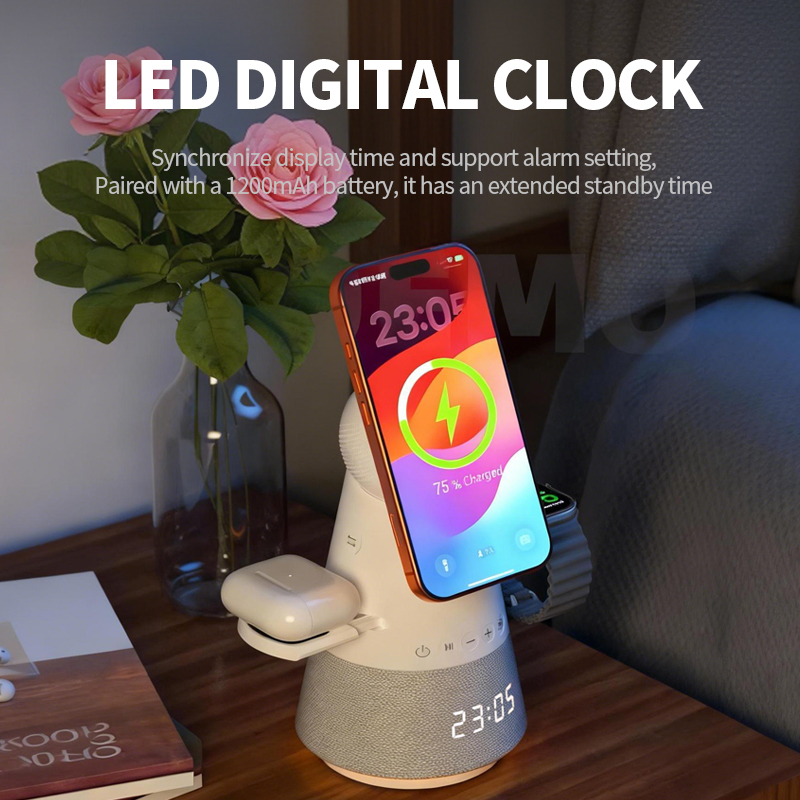
Our speaker-and-charger desk device is popular with offices. How should it be cleaned and maintained so it keeps working well?
Short answer: Unplug before cleaning. Use a soft dry brush or cloth on the speaker grille, and a dry or barely damp cloth on the charging surface. Keep it away from liquids and dust. Check the cable and adapter regularly. Manage Bluetooth pairings so the speaker doesn’t connect to unexpected phones. Stop using it if audio distorts together with heat, or if the housing is cracked.
Cleaning the grille
Dust collects in speaker grilles and affects sound. Use a soft, dry brush or a lint-free cloth. Don’t push objects into the grille, and don’t use compressed air at close range, which can damage the speaker cone.
Cleaning the charging surface
Wipe with a dry microfibre cloth; for marks, use a barely damp cloth and let it dry fully. Remove debris that could affect charging.
Liquids
Desks see coffee and water. Keep drinks away. If liquid is spilled on the device, unplug it, let it dry fully, and have it checked before use. Don’t use a device that may have liquid inside.
Cables and adapter
- Check cables for wear.
- Use the recommended adapter.
- Keep cables tidy to avoid pulling the device off the desk.
Bluetooth pairing
In shared offices, speakers can be paired to many phones. Clear old pairings periodically using the reset method in the manual. That reduces unexpected connections and audio from someone else’s phone.
Storage
If stored, keep it in its box in a dry place. If it has an internal battery, charge it to a medium level before storage and top up every few months.
Signs of a fault
- Audio distortion together with heat.
- Charging stops while audio plays.
- Cracks, smell or noises from the charger area.
Unplug and report these with the model and batch code.
Firmware and updates
Speaker chargers are usually not user-updatable. If audio or pairing problems appear on many units after a phone update, report them to the seller with the phone models involved.
Routine for offices
Include the device in regular desk equipment checks: clean, check cables, test charging and audio, clear pairings if needed.
What to confirm
Confirm with Wecent whether the model has an internal battery and how to reset pairings, before writing maintenance instructions.
Where this answer says confirm with Wecent, the detail is not published on the product page and has to come from the datasheet or the factory. General facts come from the standards bodies, regulators or device makers named in the text.
Three more perspectives
Products discussed in this thread
Related articles & topics
Have a sourcing question about your own programme?
Ask our team More Care, cleaning & lifecycle questions