
Talk · Maintenance · Care, cleaning & lifecycle
How should a clock wireless charger be kept accurate?
Set the time carefully after installation and after power cuts, check daylight saving changes, and use a stable power source. Clocks without backup or network sync drift a little over time, so periodic checks help.
 Wecent Editorial Team
Updated
3 min read
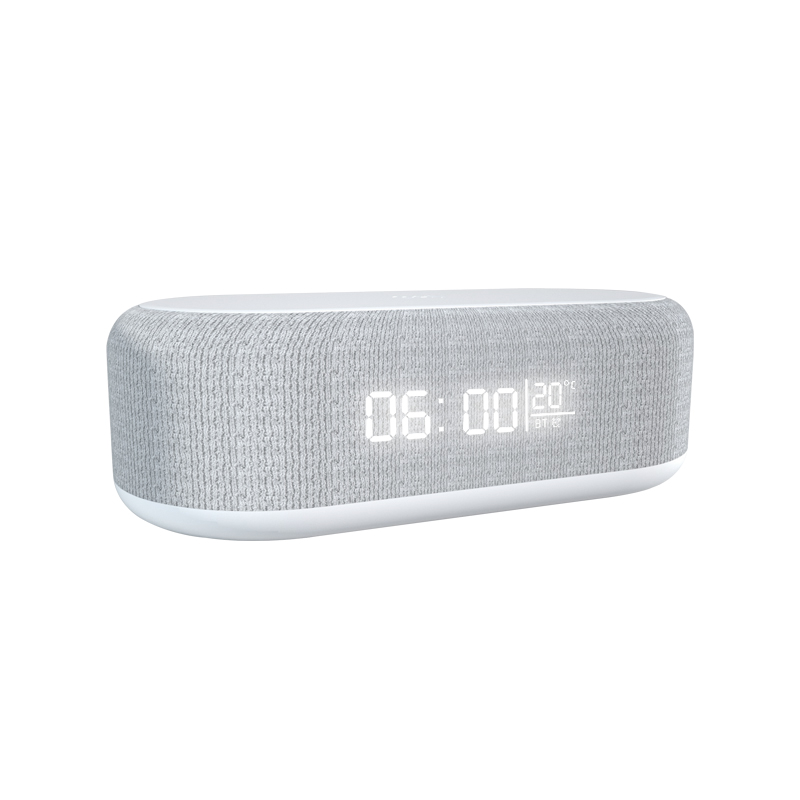
Hotels using our clock wireless chargers report that some clocks are wrong after a few weeks or after power cuts. How should they be maintained?
Short answer: Set the time carefully on installation, check it after any power interruption, and adjust for daylight saving changes. Unless the model has automatic time sync, its clock relies on an internal oscillator and can drift slightly over weeks. A clock without a backup battery loses time when unplugged. Add a periodic time check to the room routine and confirm with Wecent how each model keeps time.
How these clocks keep time
Most clock chargers use a simple internal clock circuit. Without network or radio time sync, accuracy depends on the oscillator, which can drift by small amounts over weeks. If the clock has no backup battery, unplugging or a power cut resets it.
After installation
Set the time and alarm using the instructions, then check it again after a day. Note the date of setting in the room log.
After power cuts
Power cuts and maintenance work are the most common reasons for wrong times. Add a “check clocks” step to the post-outage checklist for hotels and offices.
Daylight saving
Clocks without automatic adjustment need manual changes twice a year in regions with daylight saving. Schedule these in advance.
Drift
If a clock gains or loses a few minutes per month, a monthly check keeps it accurate. Larger drift, or a clock that resets randomly, may point to a power issue or a fault.
Power source
Use the recommended adapter and a reliable socket. Loose sockets or shared extension leads can cause brief interruptions, which reset clocks without backup.
Backup batteries
Some models have a backup battery or capacitor that keeps time during short outages. If so, check the battery type and replacement interval, and follow battery disposal rules.
Hotel routine
- Housekeeping checks the displayed time against a reference during room turnover.
- Engineering resets clocks after outages.
- Daylight saving changes are scheduled.
- Recurring faults are logged by room and model.
Guest instructions
A small card explaining how to set the alarm, and noting that the clock is set by the hotel, helps guests and reduces calls to reception.
What to confirm with Wecent
Ask whether the model has backup power, how long it keeps time when unplugged, and whether any automatic time setting is available. Write guest and staff instructions based on that.
Where this answer says confirm with Wecent, the detail is not published on the product page and has to come from the datasheet or the factory. General facts come from the standards bodies, regulators or device makers named in the text.
Three more perspectives
Products discussed in this thread
Related articles & topics
Have a sourcing question about your own programme?
Ask our team More Care, cleaning & lifecycle questions